

FACEIT Mappio is one of the fastest-growing FACEIT extensions of 2026. It adds opponent intelligence to the CS2 matchroom, built around the veto and positioning. Here is exactly what Mappio does, whether it is safe, and the best alternative if you also want win probability and smurf detection.
GRIND · THE MOST CUSTOMIZABLE EXTENSION FOR FACEIT IN CS2
ENTER YOUR FACEIT NICKNAME.
DISCOVER YOUR ROLE.
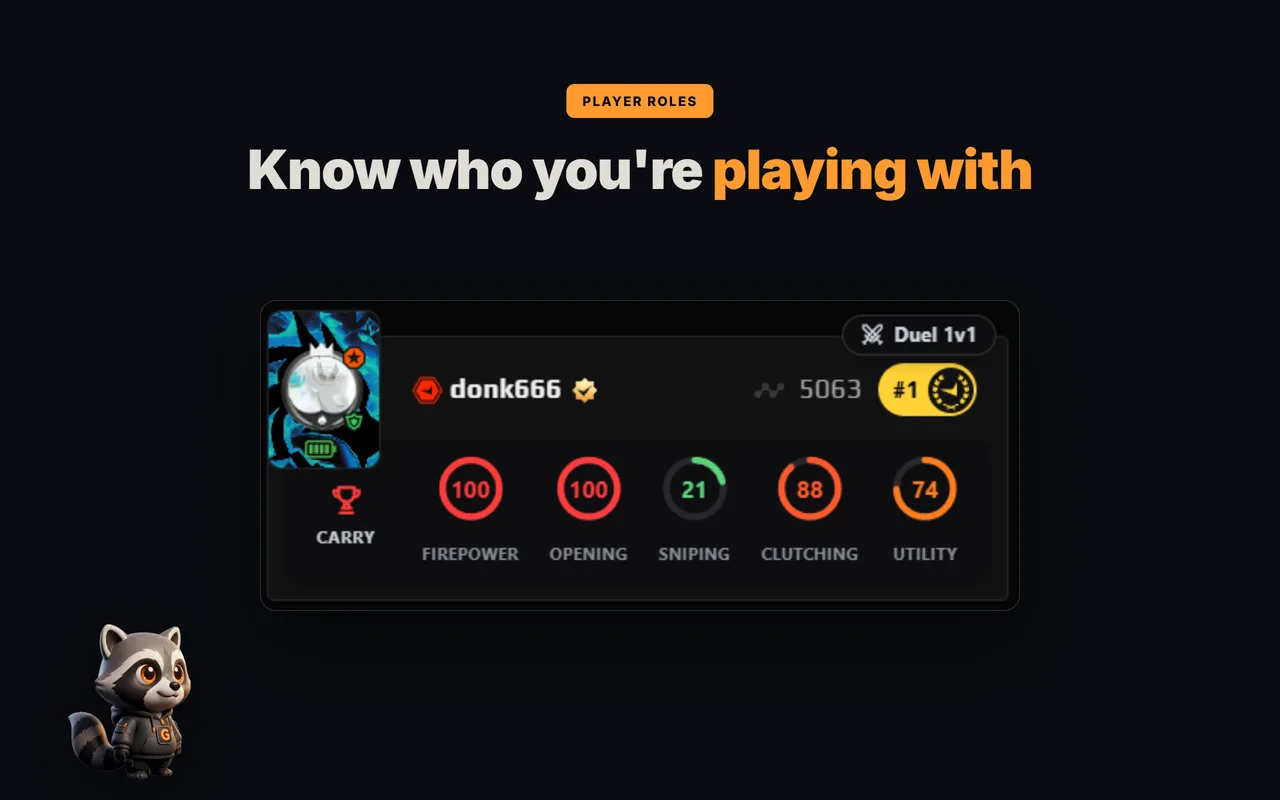
Enter a nickname — see your role, five skill rings and form over 30 matches.
Example result: donk666



ROLES AND SKILL RINGS IN THE FACEIT MATCH ROOM
Want to see other players' roles right in the match room?
What is FACEIT Mappio?
Mappio is a browser extension for Chrome and Firefox that reads public FACEIT data and surfaces it in the matchroom. Its focus is tactical: it tells you how the enemy captain is likely to veto and where their players like to hold.
Mappio's main features
- Veto ban probabilities — the enemy captain's likely map drops, appended to the map cards.
- Position heatmaps — downloads opponents' recent matches and draws their preferred positions per map.
- Player roles — tags each opponent (entry, anchor, support, AWP).
- Player & team map stats — matches played, K/D and win rate per map.
Is FACEIT Mappio safe?
Yes. Mappio is a browser UI enhancer that only reads public FACEIT data — it is not a cheat and never touches the CS2 game client. It is published on the Chrome Web Store and Firefox Add-ons.
Mappio vs GRIND
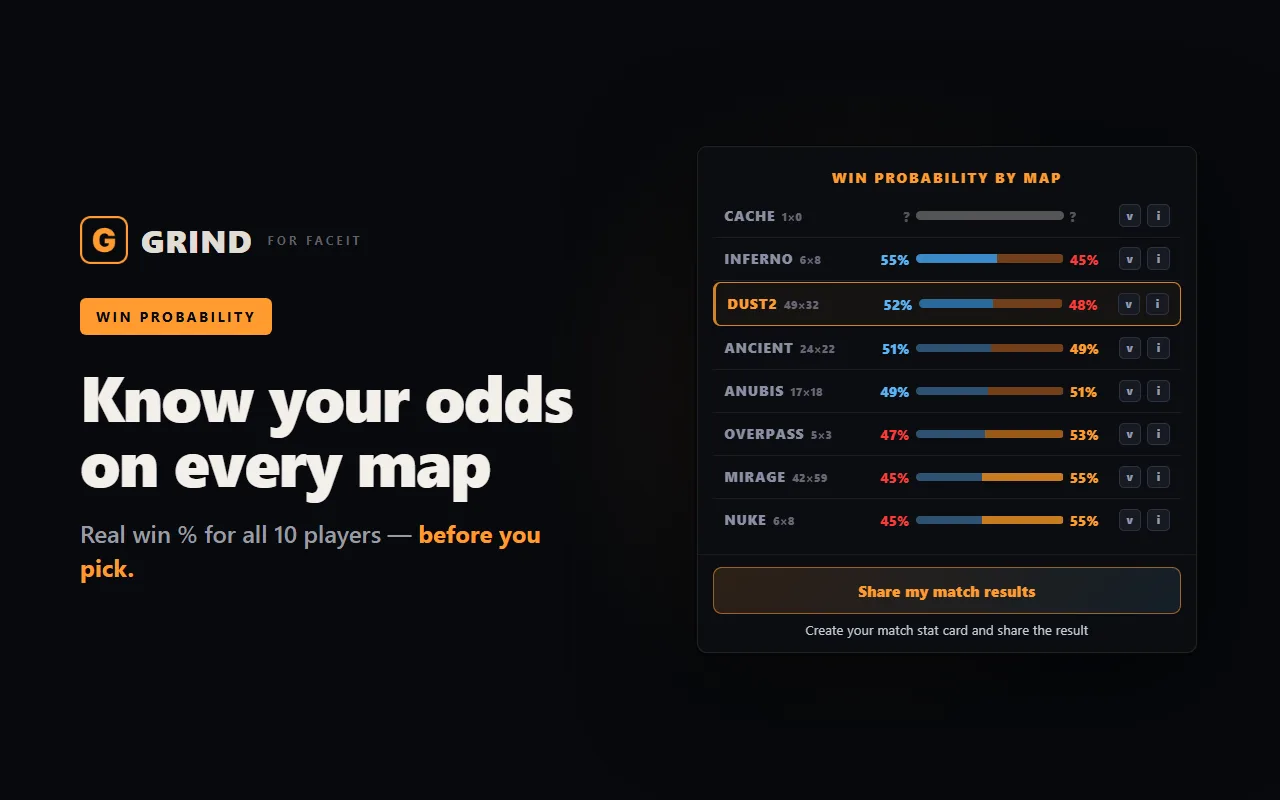
Both add opponent intel before the match, but they are direct alternatives rather than a pair you need to stack. Mappio leans on the veto and positioning; GRIND covers more of what actually decides the match — win chance, suspicious accounts, roles, team form and per-map analytics:
| Feature | Mappio | GRIND |
|---|---|---|
| Veto ban probabilities | Yes | — |
| Position heatmaps | Yes | — |
| Common opponent positions | Yes | — |
| Player roles | Yes | Yes |
| Win chance on every map | Yes (basic) | Yes (detailed) |
| Detailed per-map analytics | Basic | Yes |
| Detailed team comparison | — | Yes |
| Current team form | — | Yes |
| Current player form | Yes | Yes |
| Smurf & booster detection | — | Yes |
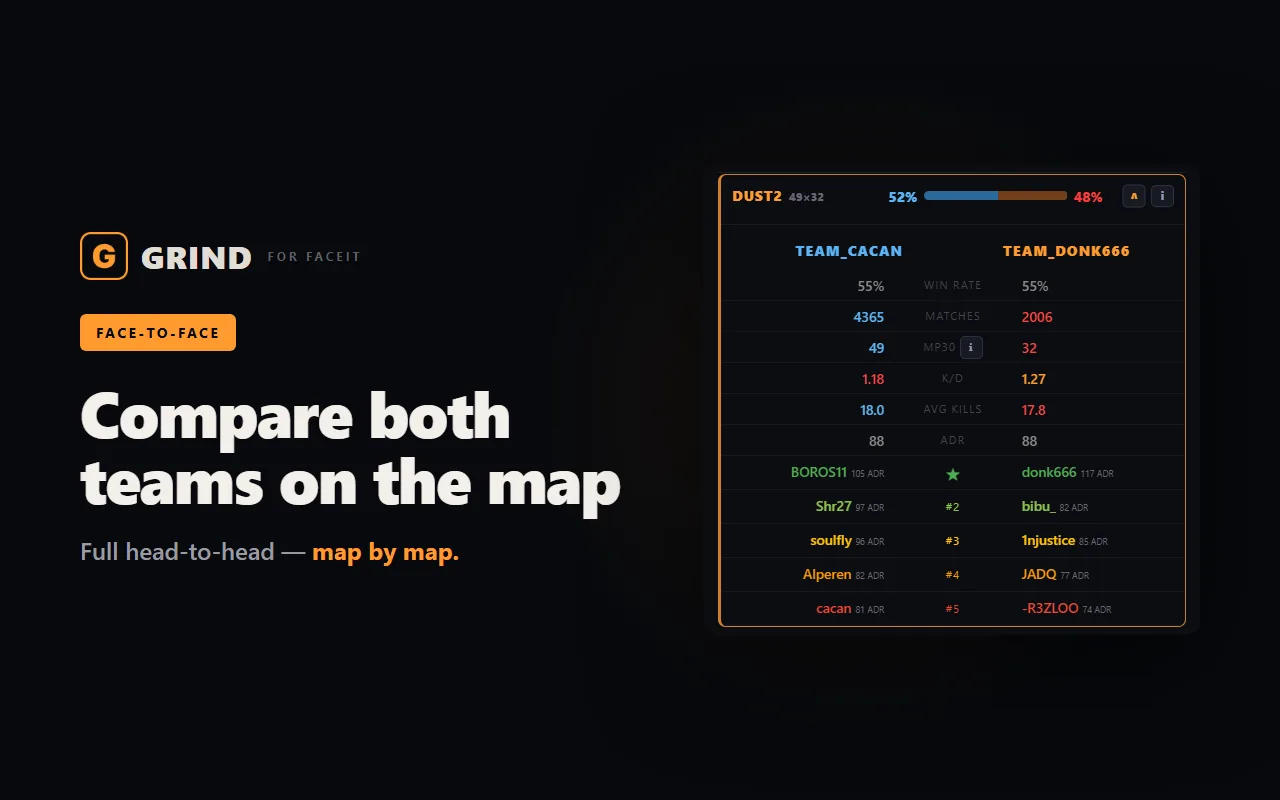
| Face-to-face compare | — | Yes |
| New ELO tiers | — | Yes |
| Server preview on accept | — | Yes |
| Extended match history | — | Yes |
| Match auto-accept | — | Yes (100%) |
| Party-invite auto-accept | — | Yes |
| Find FACEIT by Steam | — | Yes |
| Player notes | — | Yes (private, on your device) |
In short: Mappio's edge is veto heatmaps and positioning. Everywhere else GRIND does more — win chance on every map, detailed per-map analytics, current team form, player roles, a 0–100 smurf and booster score and a face-to-face compare. If you want one tool to read your lobby, GRIND is the more complete pick.
Everything GRIND does, in one list:
- Win chance by map — a radar across the whole pool plus Win chance · Winrate · Picks tabs for every map — see where your team is ahead and what the enemy plays most. Pick your map.
- Team stats — form, average ELO, Firepower, AVG Kills and K/D of both teams — in the centre of the room, above the map panel.
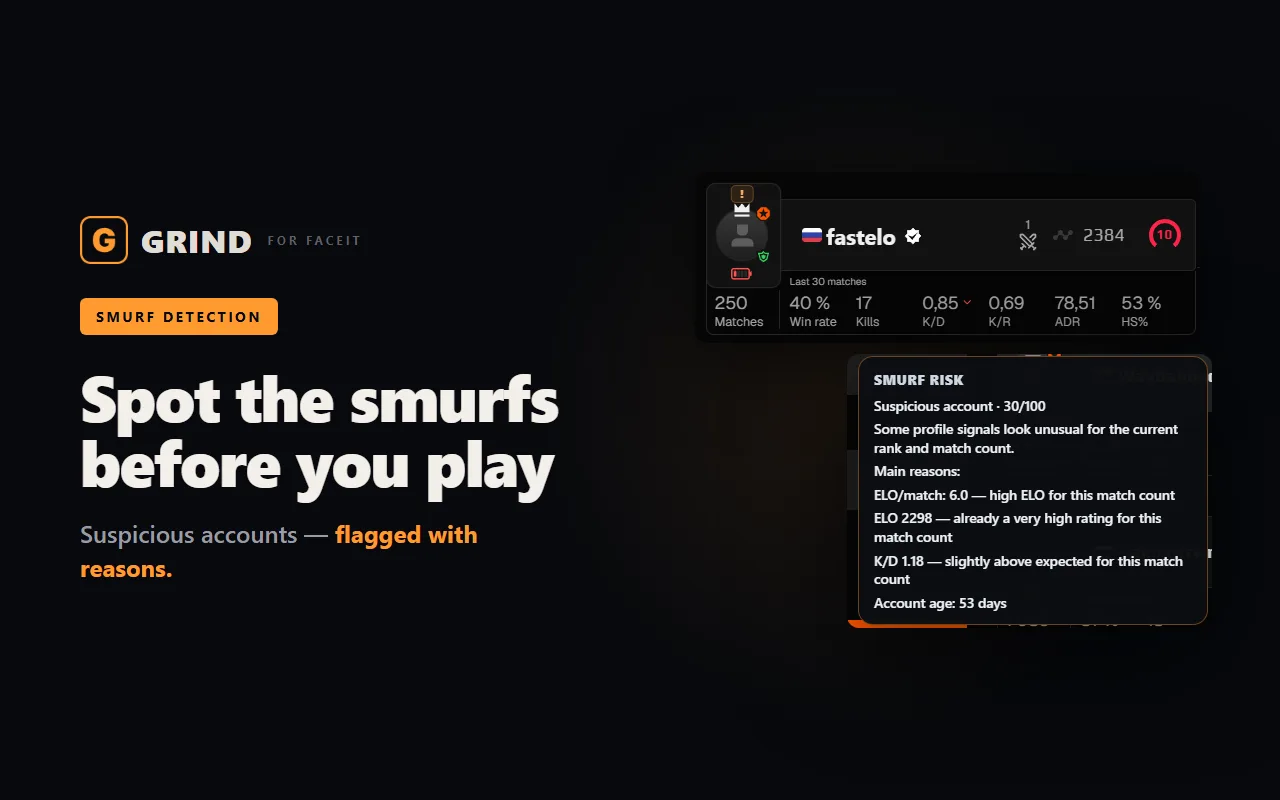
- Hidden Pool Check — an instant verdict: which side the lobby favours by team strength over the last 10 matches, who is in a slump and where a likely smurf sits. Reasons on click.
- 7 roles and 5 skill rings — CARRY, ENTRY, ANCHOR, AWPER, CLUTCHER, SUPPORT or UNIVERSAL for every player in the lobby, plus Firepower, Opening, Sniping, Clutching and Utility rings — see who does what.
- FACEIT Rating and Swing — each player's average rating and real round impact over the last 30 matches.
- Last 30 matches — Wins, AVG, K/D and ADR for every player in the lobby.
- Your numbers in the strip — pick 4–5 numbers under every player: Wins, AVG, K/D, ADR, K/R or HS%.
- Career and maps — how many matches a player has played, their best and worst map and all-time stats on every map.
- Form and streaks — a form battery — the last 10 matches against their usual game — and win or loss streaks from two in a row.
- Smurf and Boosted score 0–100 — suspicious and boosted accounts show up before round one.
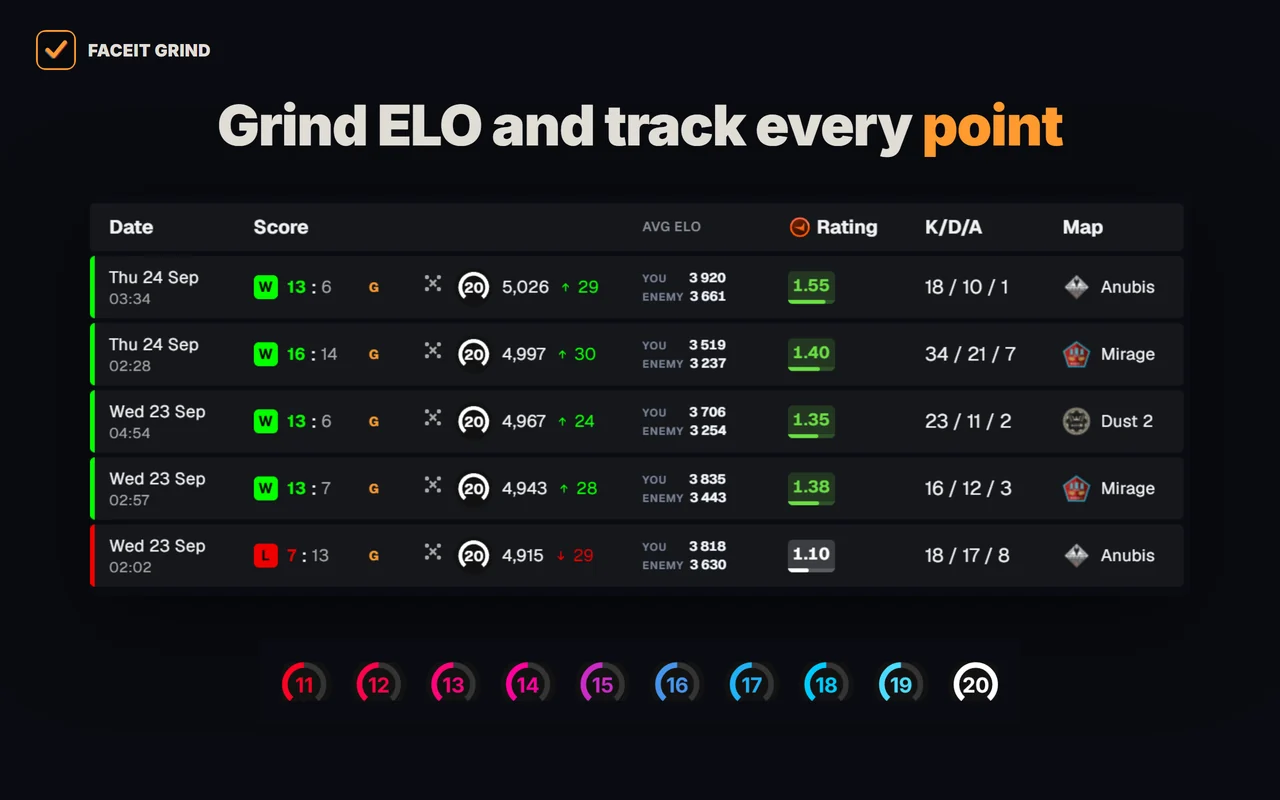
- Levels 11–20 — tell level 10s apart above 2,250 ELO — with GRIND metals or levels 11–20.
- Country flag by the nickname — see where each player is from right in the room roster.
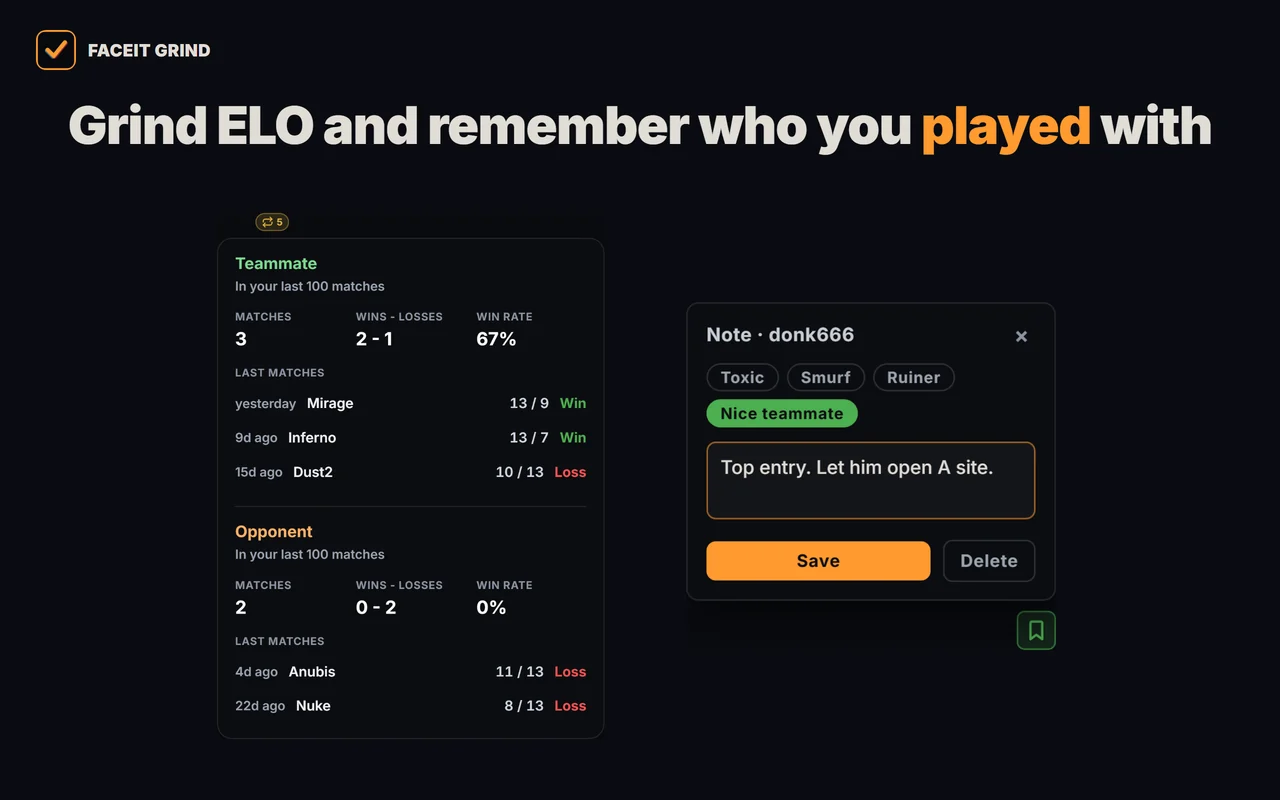
- Played together — who you have already met in your last 100 matches — as a teammate or an opponent — and the score.
- 1v1 Duel — compare two lobby players head to head: OVR, ELO, K/D, ADR, HS%, win rate, compare by any map and a quick Top vs Top pair.
- Player notes — tag a griefer or a great teammate — the note pops up next time you meet and stays on your device only.
- Invite friends — a button in the map panel copies the GRIND link with a ready message — send it to your teammates in one click.
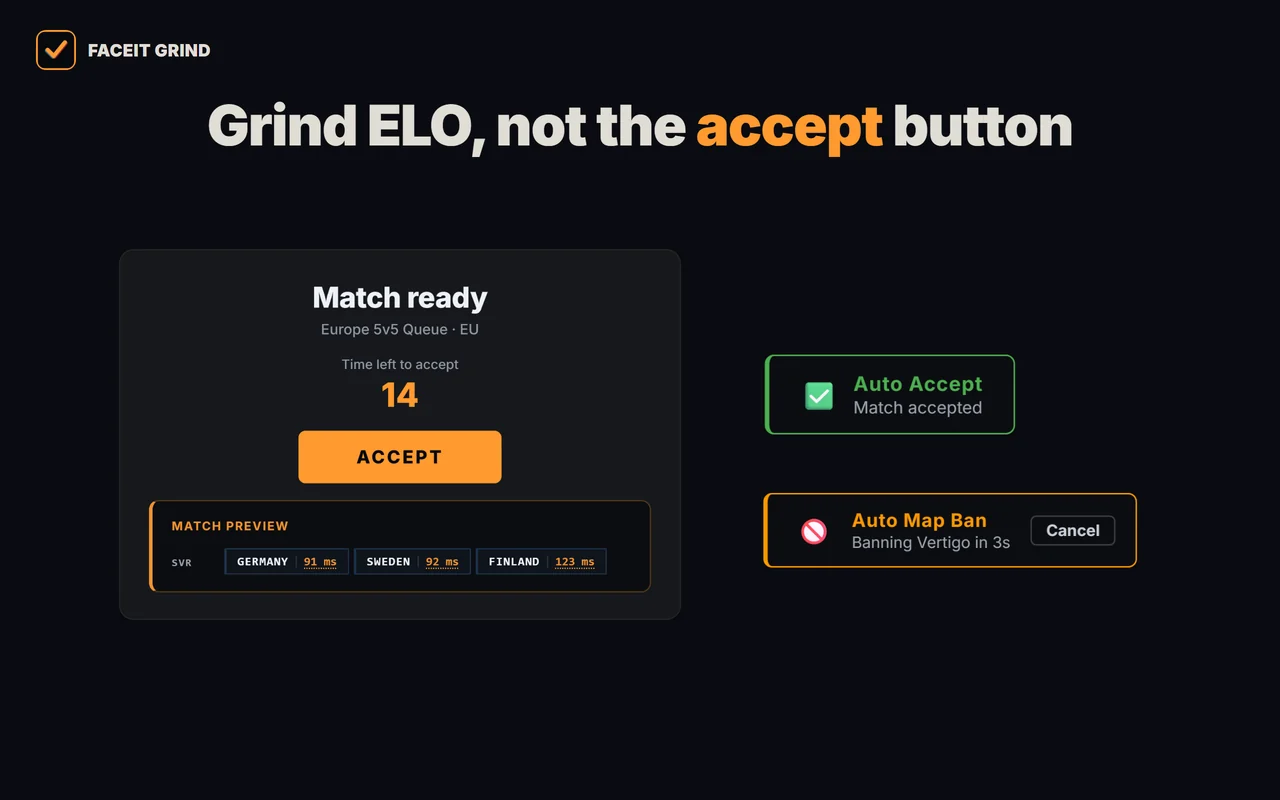
- Auto-accept match and invite — never miss a match while you are away: delay from 1 to 10 seconds, a countdown under ACCEPT and a Cancel button next to it.
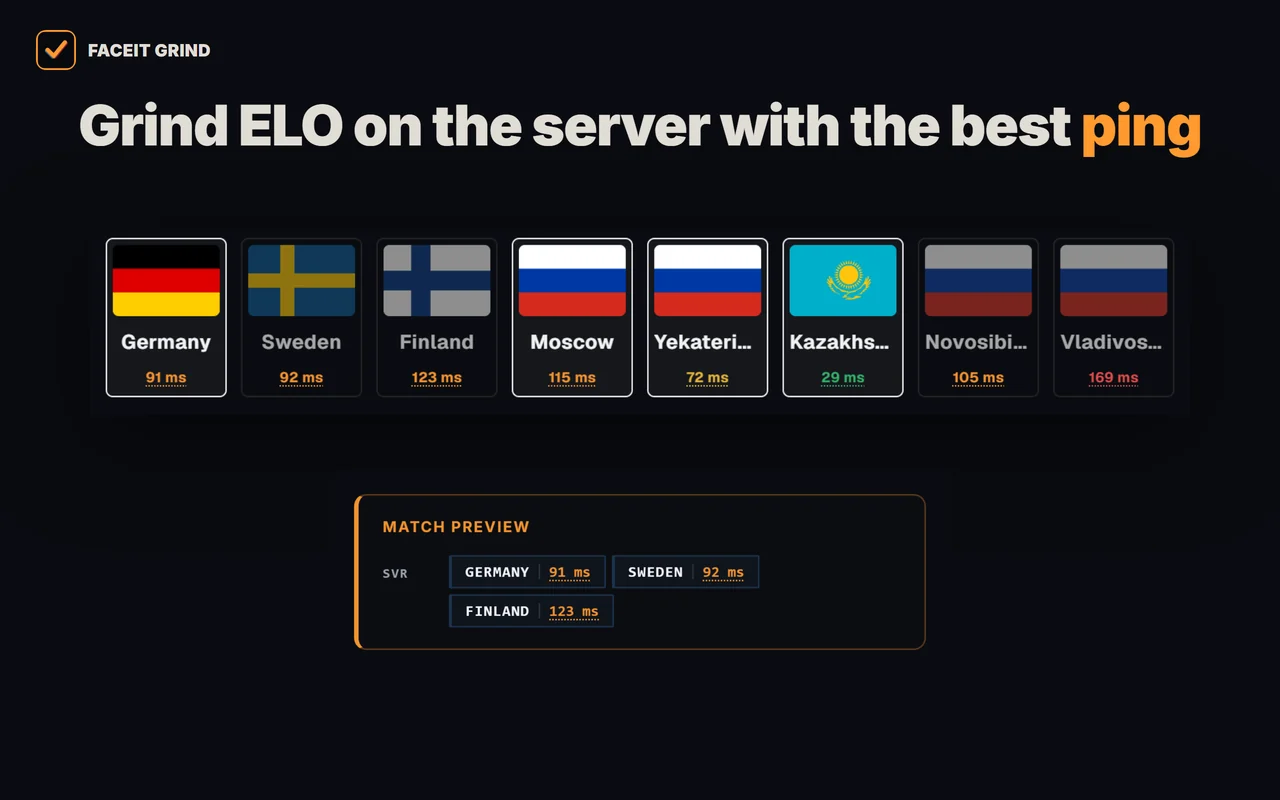
- Server and ping under ACCEPT — one panel under the ACCEPT button: the match servers, ping to them and the auto-accept countdown. Server ping is also on the server-picker page.
- Auto map ban — when you are captain, your least favourite map is banned for you — with a countdown and a cancel button.
- Auto position — your spot goes to team chat right after the veto, once per match; you set a spot for every map.
- Auto-copy connect — the moment the server is ready, the connect line is on your clipboard — paste it into the CS2 console.
- Match history — average ELO of both teams with one click on a row, 10/20/30-match markers and a scoreboard on hover.
- ELO in the right sidebar — your level, ELO and how far the next level is — in ELO and roughly in wins; hover for the progress bar, last match and streak.
- Your own card — ELO and progress to the next level in the corner of the page; click for the Session tab (matches and ±ELO this session) and the Form tab (recent matches and best map).
- Map & time — your best map, day and time to play — right in your ELO widget.
- Demo downloaded mark — download a demo in the match room and a mark with the time stays next to the FACEIT button, even after a reload.
- FACEIT Wallpapers — 7 ready-made backgrounds or your own image, with dim, blur and panel strength — the wallpaper shows in the match room too.
- FACEIT color — 9 colour options for frames, buttons, tabs and progress bars. Works without wallpapers too.
- Aura — a soft glow on buttons and frames in the colour you picked.
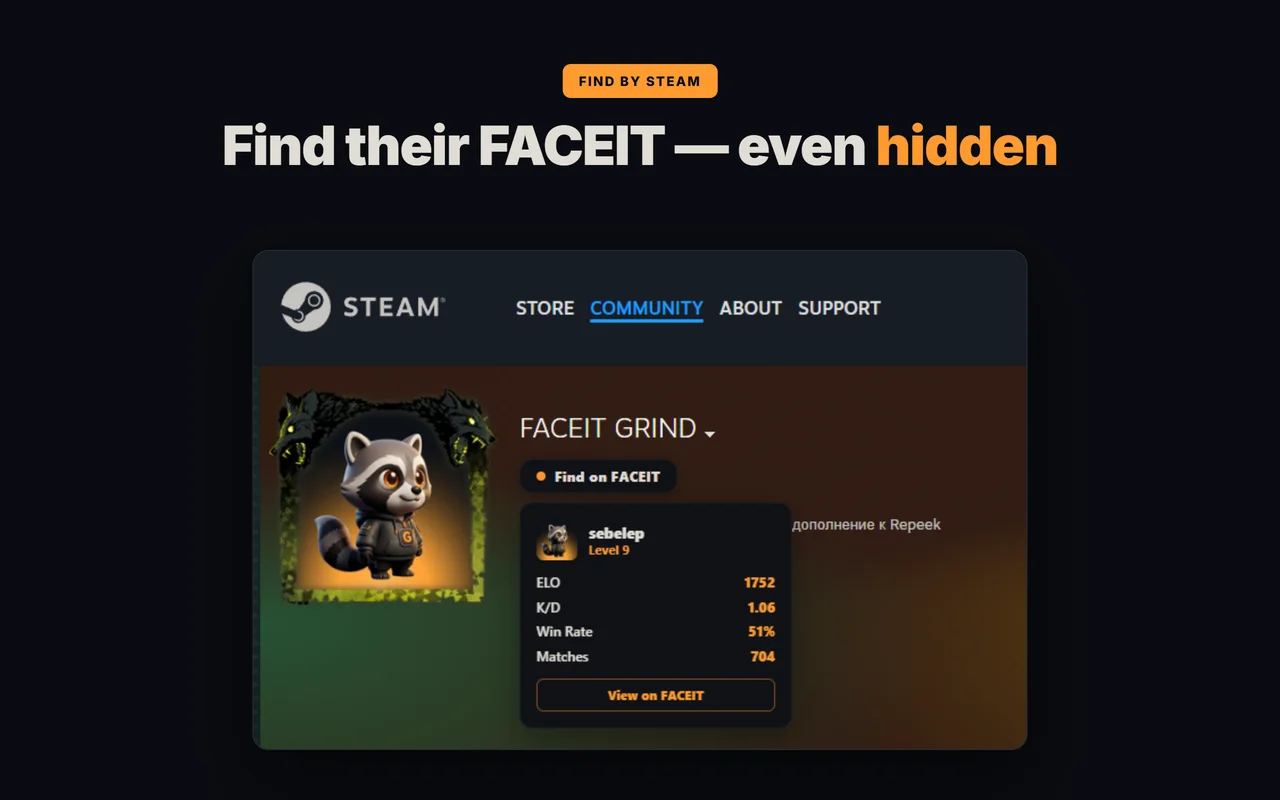
- Find FACEIT by Steam — a player's FACEIT profile right from their Steam page — even if the profile is private.
The best Mappio alternative
If what you really want is win chance on every map plus smurf and booster detection, current team form and a fast face-to-face compare, GRIND is the best alternative to Mappio — it reads your whole lobby in one panel, so you don't need a second extension bolted on to get a complete pre-match picture. Auto-ready and recent-match stats, the reason people install Repeek, are already in GRIND too — no third extension needed.
FAQ
Is FACEIT Mappio free?
Mappio's basic features are free, some are behind a paid subscription. GRIND is fully free.
Is Mappio safe to use?
Yes. Mappio only reads public FACEIT data and is a UI enhancer, not a cheat — it does not touch the CS2 game client.
Does Mappio work on Chrome and Firefox?
Yes, Mappio is available for both Chrome and Firefox.
What is the best Mappio alternative?
GRIND is the best alternative for win chance on every map, plus smurf and booster detection, player roles, current team form and a face-to-face compare — a more complete pre-match read than Mappio, all in one panel.
Mappio vs GRIND — which is better?
Mappio's strength is veto ban probabilities and position heatmaps. GRIND covers more of the match — win chance on every map, detailed per-map analytics, current team form, player roles, a 0–100 smurf/booster score and a face-to-face compare — so as a single pre-match tool GRIND does more.
