
Three things cost you games on FACEIT before the game even starts: missing a match while you are away from the desk, missing a party invite, and typing "I take mid" into team chat one second after a teammate already claimed it. Auto actions handle all three — auto-accept match, auto-accept invite and auto positions. Here is what each one does and how to switch them on in the GRIND extension.
What auto actions are on FACEIT
Auto actions are separate toggles that do the routine parts of FACEIT for you. Three main ones are in the title, and two more were added later:
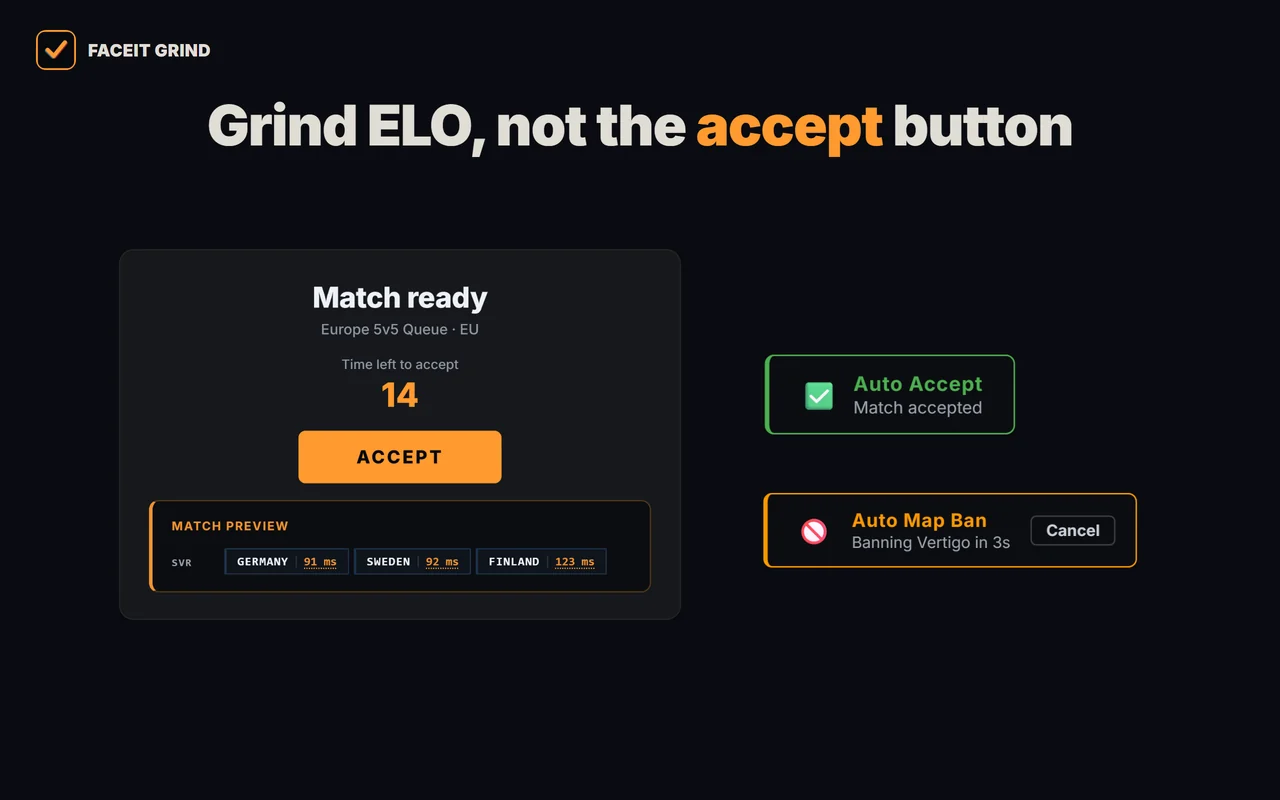
- Auto-accept match — presses READY UP for you when a match is found, so you neither lose the queue nor collect a ban for missing it.
- Auto-accept invite — accepts party invites from your teammates automatically.
- Auto positions — the moment the map is picked in the veto, it posts your position into team chat, so you claim the spot first.
- Auto map-ban — if you are the captain, bans your least-favourite remaining map on your turn.
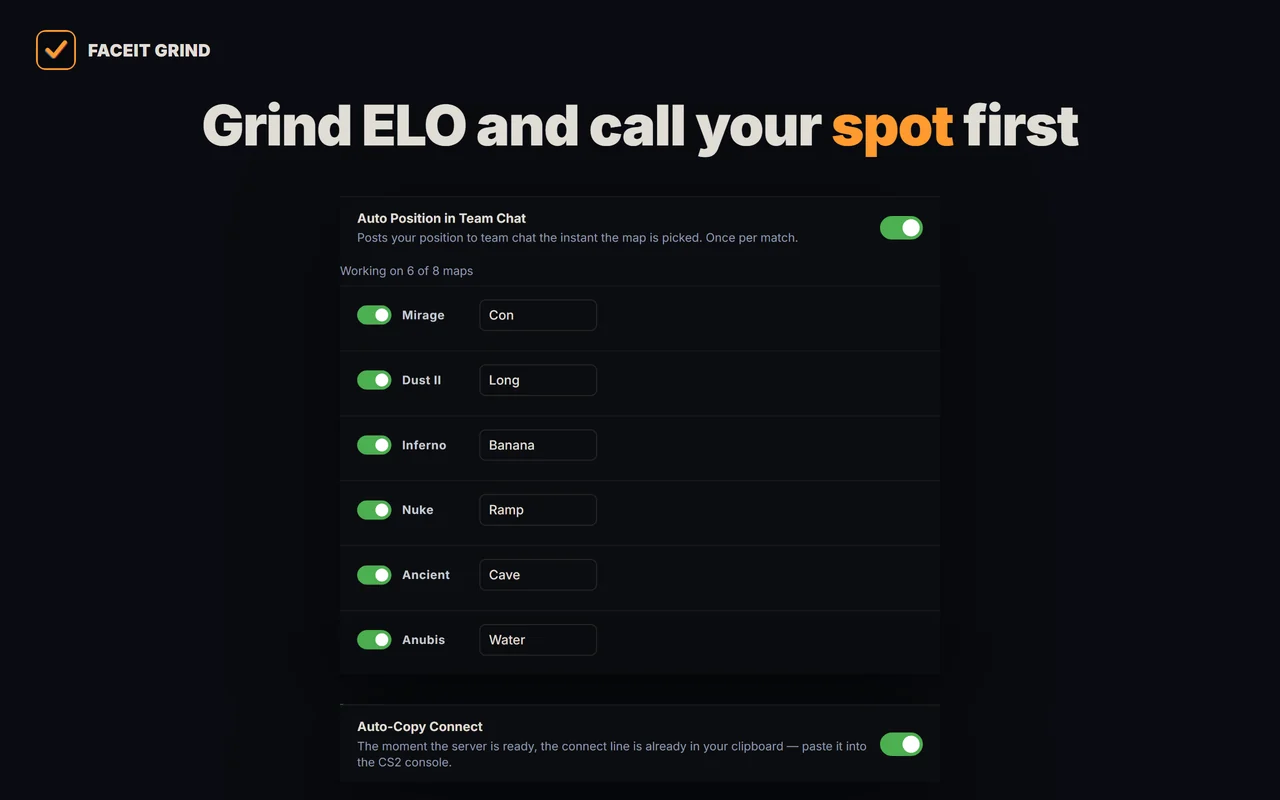
- Auto-copy connect — the moment the server is ready, the connect string is already on your clipboard.
Each one turns on independently — you enable only what you actually want.
Auto-accept match (auto ready up)
Auto-accept match presses the READY UP button for you when FACEIT finds a match. Went for water, alt-tabbed, got stuck in another window — GRIND accepts on your behalf, so you keep your place in the queue and avoid the ban for a missed match.
- The accept delay is a slider from 1 to 10 seconds (3s by default) so the accept looks human rather than robotic.
- It works every time as long as the FACEIT tab is open — the click happens in the match room itself.
- Set it to 1 second to accept almost instantly, or higher to give yourself a moment to look at the server first.
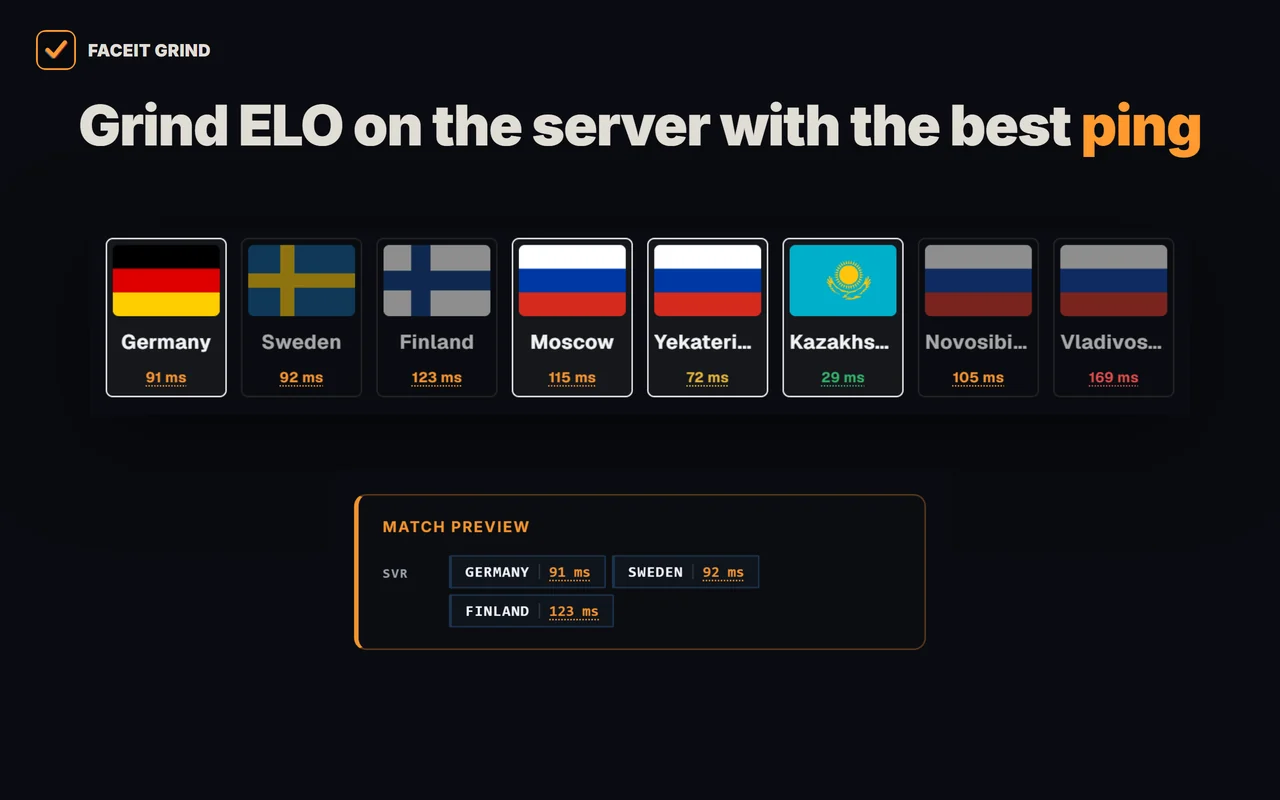
- Right on the accept popup, GRIND shows the match server and ping to servers — so you know where you are headed before you even hit READY UP.
Auto-accept party invite
Auto-accept invite takes party invites for you. A teammate pulls you into a group and you no longer have to catch the popup and click accept — GRIND does it.
- Invites have their own delay, also 1 to 10 seconds (3s by default), separate from the match one.
- Handy when you always queue with the same stack: the party assembles without extra clicks.
Auto positions: claim your spot first
Auto positions is for players who want their favourite spot without arguing about it every match. You write a line of text per map once — "taking mid" on Mirage, "A long" on Dust2 — and the moment your team locks that map in the veto, GRIND posts the line into team chat.
- The message goes out as soon as the map is picked — the whole point is to claim the position before somebody else does.
- Once per match. The extension remembers matches it has already posted in and will not repeat itself, even if you reload the room.
- Text is set per map; on a map you left blank, auto position simply does nothing.
Auto map-ban: if you are the captain
Auto map-ban saves the tensest seconds of the veto. On FACEIT, the captain bans — and if you are the captain, GRIND bans your least-favourite remaining map on your turn.
- You rank your maps once — favourites at the top, GRIND bans from the bottom. If the bottom one is already banned by the opponent, it takes the next one up.
- Every ban gets a countdown with a Cancel button — want to ban it yourself, just press it.
- The delay before the ban is 1 to 10 seconds (5s by default).
- If you are not the captain, auto map-ban does nothing.
Auto-copy connect
Auto-copy connect removes the last manual step before the game. The moment the match server is ready, GRIND puts the connect string on your clipboard — you just open the CS2 console and paste. No hunting for the button in the match room or switching windows.
How to turn auto actions on in GRIND
- Install the extensionAdd GRIND for FACEIT from your browser store and sign in to your FACEIT account.
- Open the GRIND panelGo to any match room on faceit.com and click the GRIND icon on the right to open the settings.
- Find the "Before the match" tabIn the settings, open the "Before the match" tab — the Auto Actions block has five toggles: auto-accept match, auto-accept invite, auto position in team chat, auto map-ban and auto-copy connect.
- Enable what you need and set the delayFlip the toggles and drag the delay sliders (1–10s). For auto positions, write the line you want for each of your maps; for auto map-ban, rank your favourite maps at the top.
- DoneFrom here it runs itself: the match is accepted, the invite is accepted, your position goes into chat on the map pick, your least-favourite map is banned on your turn, and connect is on your clipboard.
| Auto action | What it does | Delay |
|---|---|---|
| Auto-accept match | Presses READY UP for you | 1–10s (3s by default) |
| Auto-accept invite | Accepts a party invite | 1–10s (3s by default) |
| Auto positions | Posts your position to team chat on the map pick | Instant, once per match |
| Auto map-ban | Bans your least-favourite remaining map on your turn (captain only) | 1–10s (5s by default), with cancel |
| Auto-copy connect | Puts the connect string on your clipboard | As soon as the server is ready |
FAQ
What are auto positions on FACEIT?
An auto action that posts a line of text with your position into team chat as soon as the map is picked in the veto. You write the text per map once, and GRIND posts it once per match so you claim the spot first.
How do I turn on auto-accept match on FACEIT?
Install the GRIND extension, open a match room on faceit.com, click the GRIND icon on the right and enable the "Auto-accept match" toggle. The same panel has the slider for a 1–10 second delay.
Does auto-accept work every time?
Yes — as long as the FACEIT tab is open, GRIND presses READY UP for you after the delay you set, so you do not miss the match or pick up a ban for missing it.
How is auto-accept invite different from auto-accept match?
Auto-accept match presses READY UP when a match is found. Auto-accept invite accepts party invites from teammates. They are two separate toggles with their own delays.
How does auto map-ban work on FACEIT?
If you are the captain, GRIND bans your least-favourite remaining map on your turn. A countdown with a Cancel button runs before the ban, with a delay of 1 to 10 seconds. If you are not the captain, auto map-ban does nothing.
What is auto-copy connect?
The moment the match server is ready, GRIND puts the connect string on your clipboard. Just paste it into the CS2 console — no hunting for the button in the match room.
Are auto positions the same as player roles?
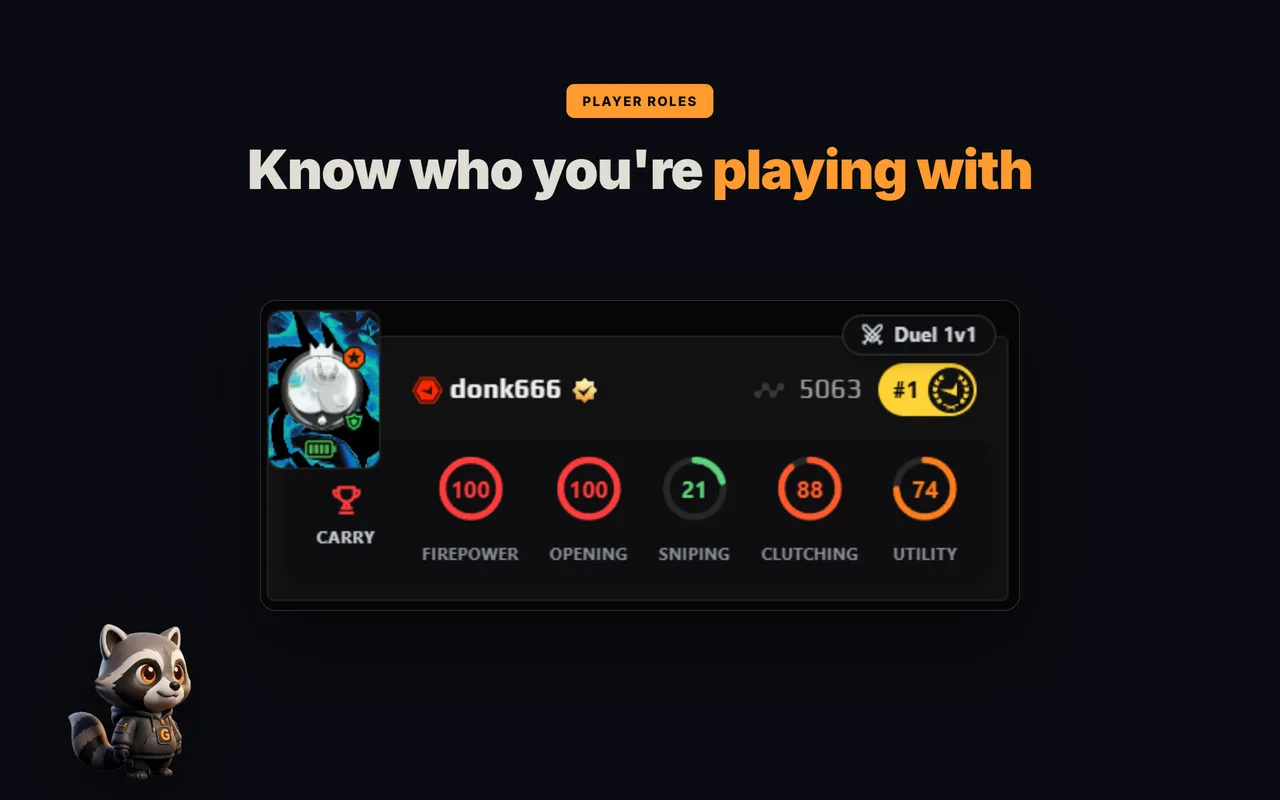
No. Auto positions send your own text to chat. Roles (entry, AWP, support, anchor) are worked out by GRIND from the stats of the players in your lobby — different features.