
Opera and its gaming sibling Opera GX are both built on Chromium, so the FACEIT extension layer works in them just like in Chrome — with one Opera-specific step for Chrome Web Store extensions. Here is the whole picture.
Do FACEIT extensions work in Opera and Opera GX?
Yes. Both Opera and Opera GX share Chromium with Chrome, so GRIND, Repeek, Mappio, Faceit EGO and Forecast all run in them. Opera GX is the same browser with a gaming UI — extension support is identical.
Where to install them from
Opera installs extensions from two places:
- Opera Add-ons (addons.opera.com) — Opera's native catalog; one click installs.
- Chrome Web Store — works too, but Opera needs the free "Install Chrome Extensions" add-on from Opera Add-ons first. After that, Chrome Web Store pages show an "Add to Opera" button.
How to install a FACEIT extension in Opera
- Add the Chrome Web Store helper (one time)For Chrome Web Store extensions, install the free "Install Chrome Extensions" add-on from Opera Add-ons. Skip this if the extension is already on Opera Add-ons.
- Open the extension pageGo to the extension's Opera Add-ons or Chrome Web Store page.
- Click "Add to Opera"Confirm the install. FACEIT UI extensions only need access to faceit.com pages.
- Pin it and open a match roomPin the extension from the toolbar, then open a FACEIT match room to see it work.
Which FACEIT extensions are worth installing
For most players, a single GRIND is enough — it is free and covers what people usually install Repeek for, plus a pre-veto lobby breakdown:
- What Repeek does — auto ready-up, invite accept, recent-match stats, FACEIT Rating and Swing.
- What Repeek does not — win probability by map before the map pick/ban, a 0–100 smurf/booster score per opponent, player roles, a face-to-face compare, auto map-ban and auto-position.
So there is no reason to keep Repeek next to GRIND: the basics are the same, and the pre-match read only exists in GRIND. Want the full field, including Mappio, Faceit EGO and more? See our comparison of the best FACEIT extensions.
Everything GRIND does, in one list:
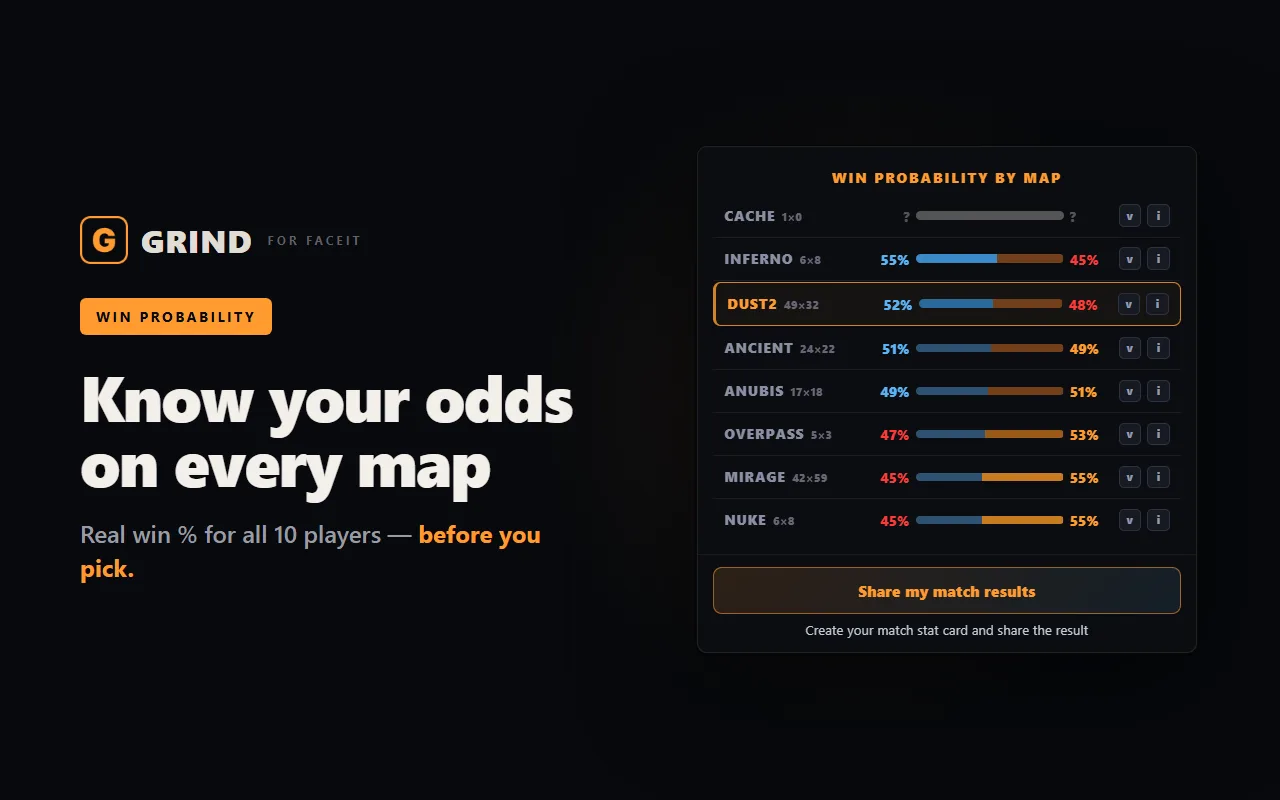
- Win chance on every map — a radar across the whole pool plus a breakdown per map — pick the one where your team is ahead. That is the ELO.
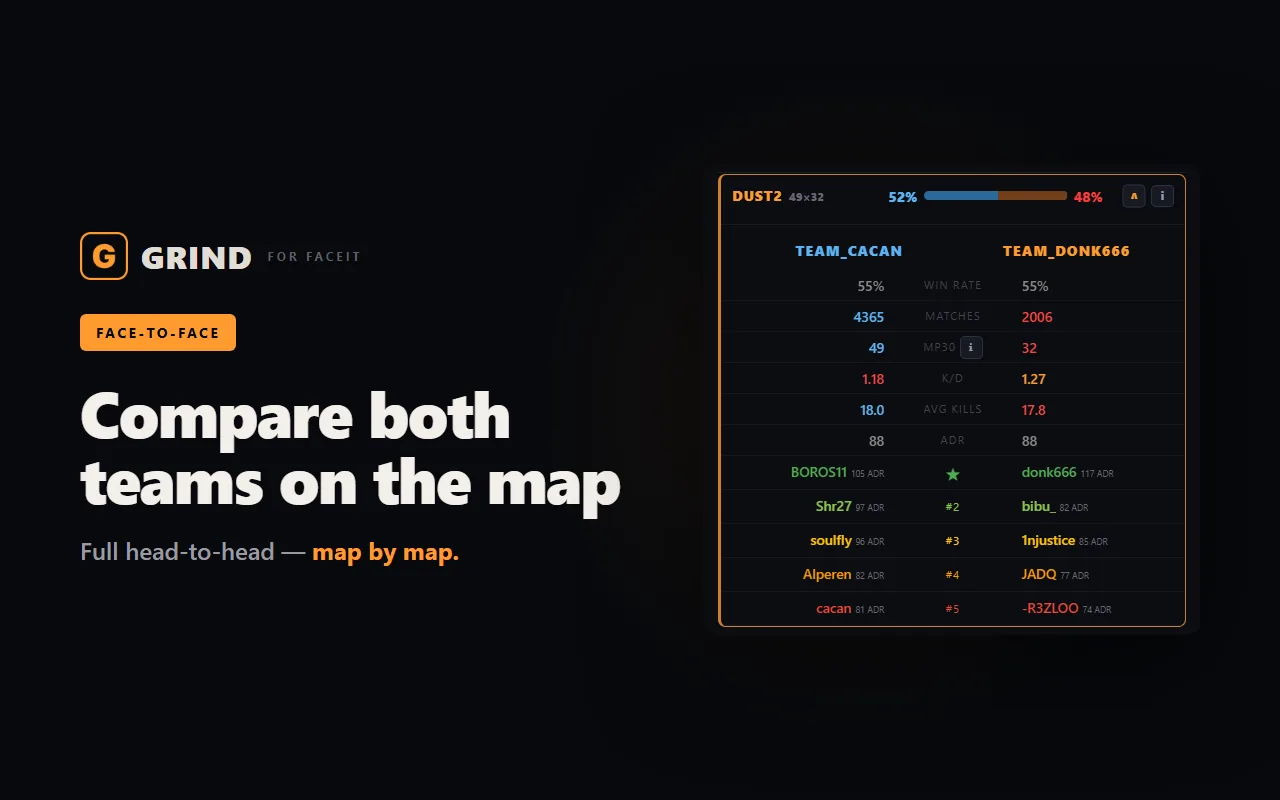
- Team face-off — win chance, Firepower, average kills and K/D above each team.
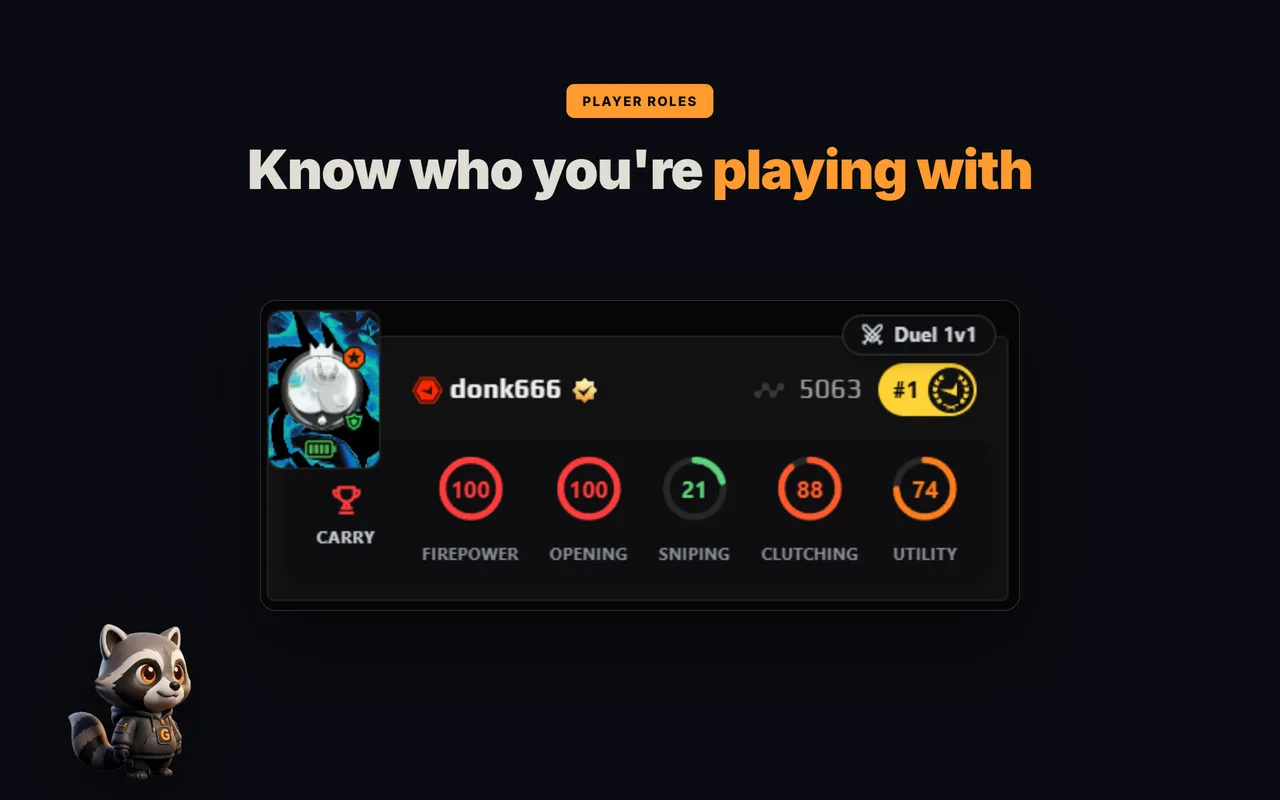
- Roles and 5 skill rings — CARRY, AWPER, ENTRY and more on all ten players — see who does what at a glance.
- FACEIT Rating and Swing — each player's real round impact over the last 30 matches.
- Last 30 matches — win rate, K/D/A, ADR and HS% for every player in the lobby.
- Career and maps — how many matches a player has played and their stats on every map.
- Form and streaks — who is in form right now and who is on a win or loss streak.
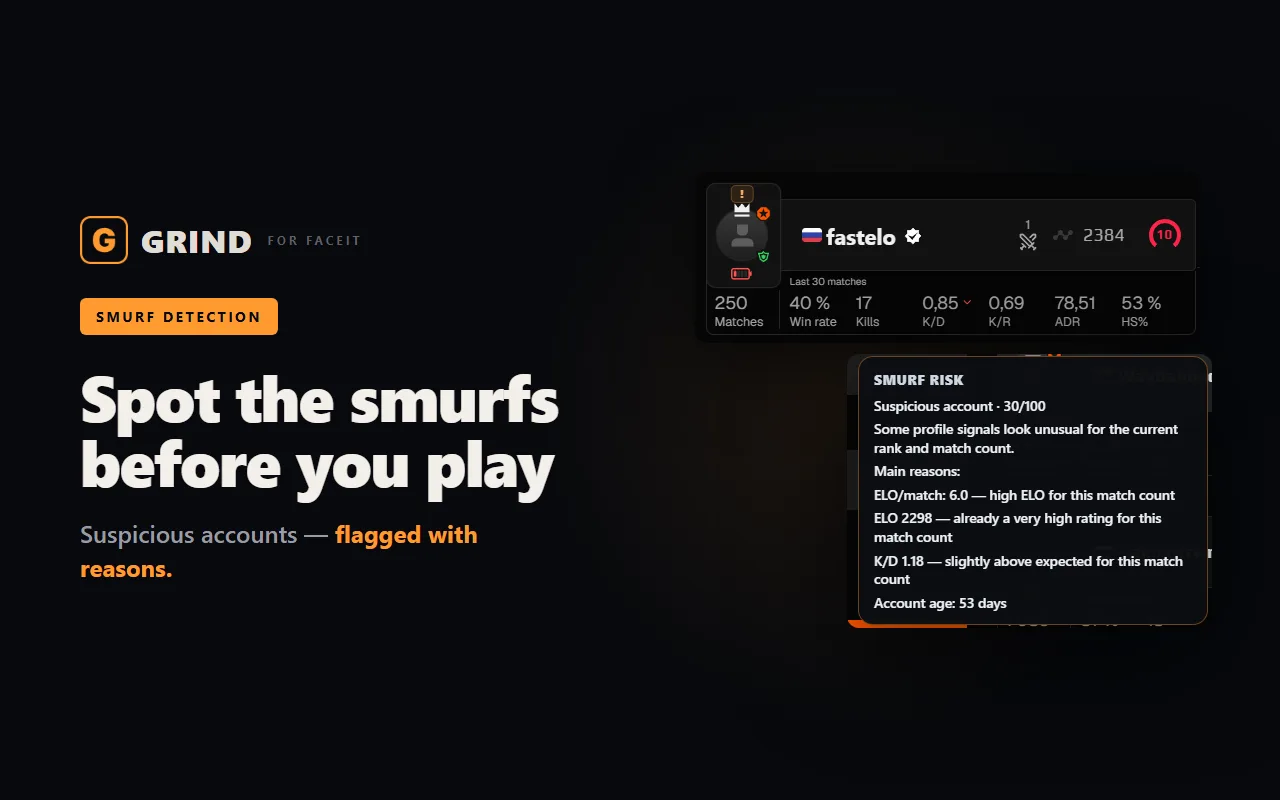
- Smurf and Boosted score 0–100 — suspicious and boosted accounts show up before round one.
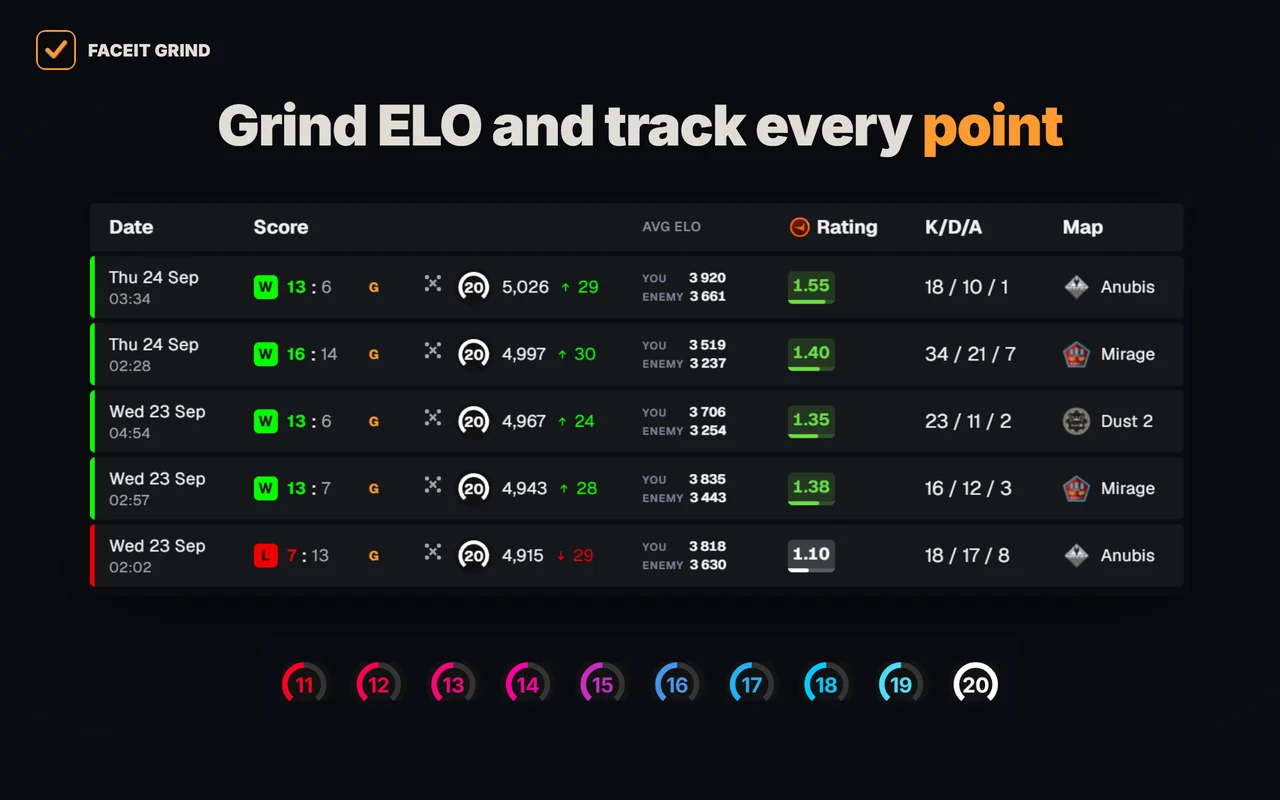
- Levels 11–20 — tell level 10s apart above 2,250 ELO — with GRIND metals or levels 11–20.
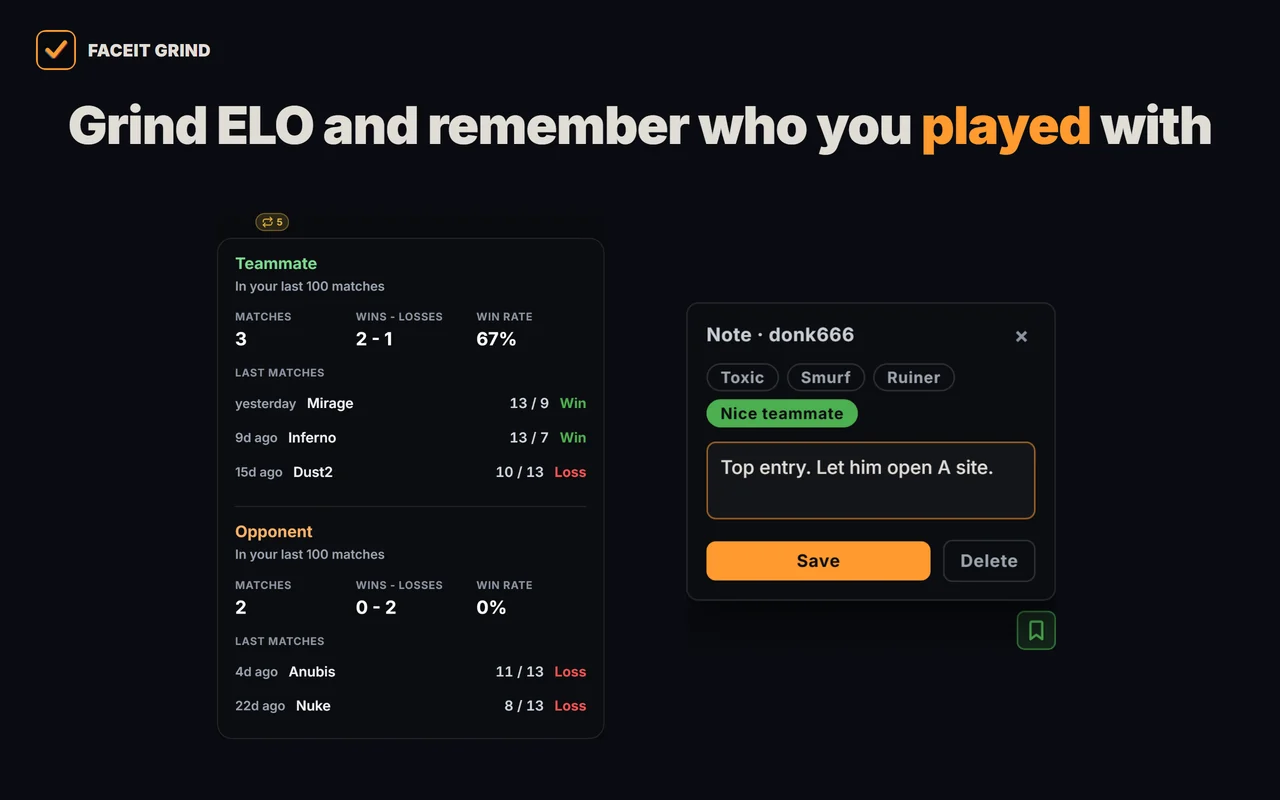
- Played together — who you have already met in your last 100 matches, and the score.
- 1v1 Duel — compare any two players in the lobby head to head.
- Player notes — tag a griefer or a great teammate — the note pops up next time you meet and stays on your device only.
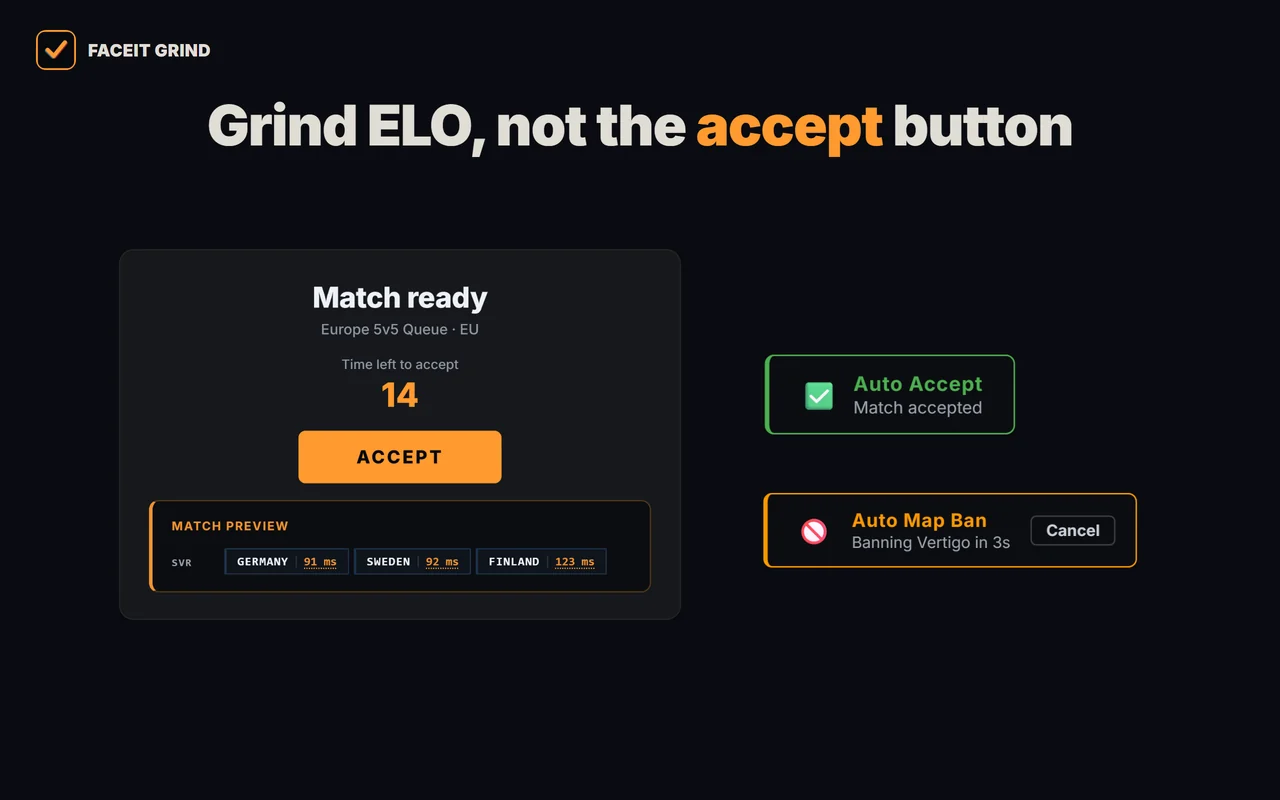
- Auto-accept match and invite — never miss a match while you are away; delay from 1 to 10 seconds.
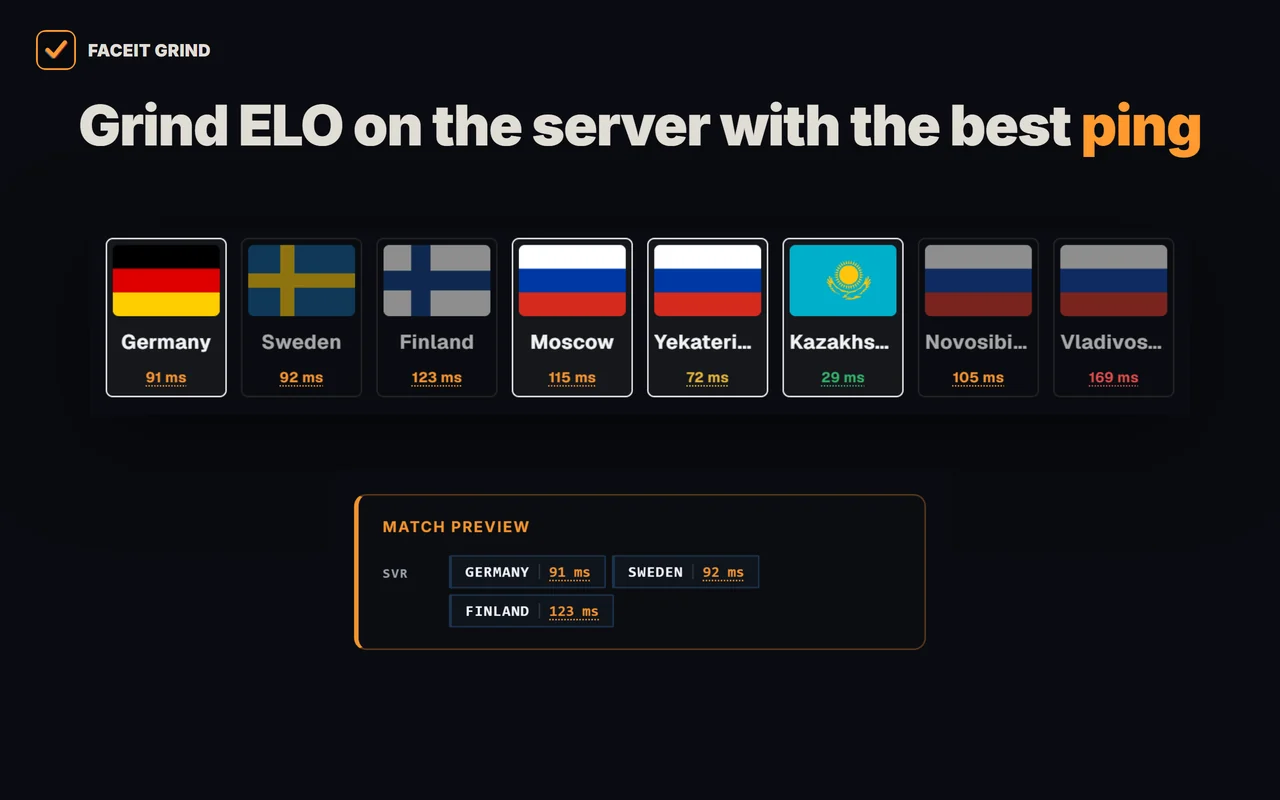
- Server and ping on the accept popup — the match server right in the accept window, server ping there and on the server-picker page.
- Auto map ban — when you are captain, your least favourite map is banned for you — with a countdown and a cancel button.
- Auto position — your spot on the chosen map goes to team chat first, once per match.
- Auto-copy connect — the moment the server is ready, the connect line is on your clipboard — paste it into the CS2 console.
- Match history — average ELO of both teams, 10/20/30-match markers and a scoreboard on hover.
- Profile summary — your best map, day and time to play, plus per-map stats.
- Your own card — your ELO, progress to the next level and session ±ELO in the corner of the page.
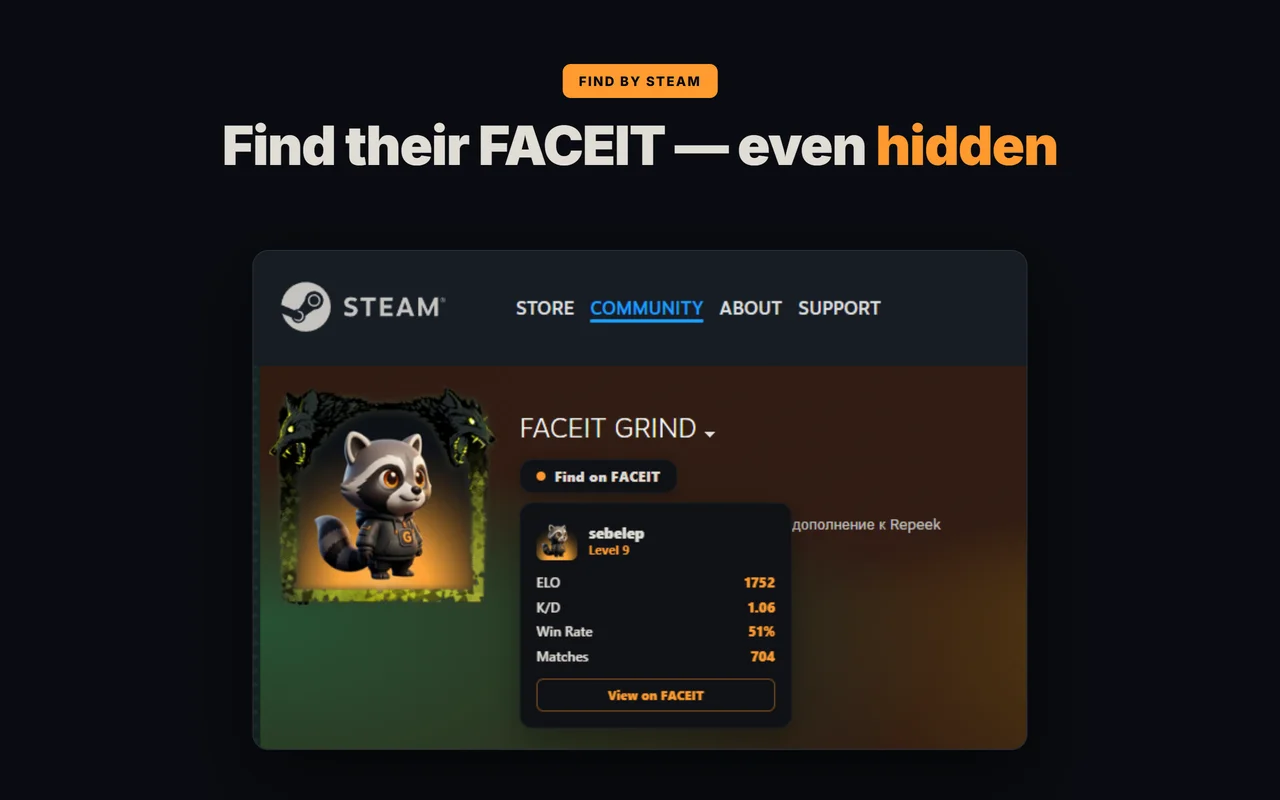
- Find FACEIT by Steam — a player's FACEIT profile right from their Steam page — even if the profile is private.
Opera GX — anything different?
No. Opera GX is Opera's gaming-focused build (CPU/RAM limiter, sidebar, themes), but extensions install and run exactly the same way — same Chromium, same Opera Add-ons + Chrome Web Store flow. Nothing FACEIT-specific changes.
Extension not installing in Opera?
The usual cause is trying to install a Chrome Web Store extension without the "Install Chrome Extensions" helper. Add it first, or install from Opera Add-ons directly. Re-enable any disabled add-ons under Opera Settings → Extensions.
FAQ
Do FACEIT extensions work in Opera GX?
Yes. Opera GX is Chromium-based like Opera and Chrome, so FACEIT extensions such as GRIND and Repeek run in it with the same install flow as regular Opera.
How do I install a Chrome Web Store extension in Opera?
Add the free "Install Chrome Extensions" add-on from Opera Add-ons once, then open the Chrome Web Store page and click "Add to Opera".
Is it safe to install FACEIT extensions in Opera?
Yes, if you install from Opera Add-ons or the Chrome Web Store. Good FACEIT extensions are UI enhancers that only read public FACEIT data and never touch the game client.
What is the difference between Opera and Yandex Browser for extensions?
Both are Chromium. Yandex Browser installs from the Chrome Web Store directly and uses Opera Add-ons as its native catalog; Opera installs from Opera Add-ons natively but needs the "Install Chrome Extensions" helper for the Chrome Web Store. More in <a href="/blog/faceit-extensions-yandex-browser/">FACEIT extensions in Yandex Browser</a>.
Why won't a FACEIT extension install in Opera?
Usually because a Chrome Web Store extension needs the "Install Chrome Extensions" helper in Opera. Add it, or install the extension from Opera Add-ons instead.