
If Repeek (formerly FACEIT Enhancer) suddenly stopped loading or no longer shows stats in your CS2 matchroom, you are not alone — "Repeek not working" and "FACEIT extension not working" are among the most-searched problems, and most results you find are outdated. Here are the current causes, how to fix it, and what to replace Repeek with.
Why Repeek is not working
- The extension was disabled or removed by the browser after an update — check
chrome://extensions. - You are on an outdated build. Repeek was renamed from FACEIT Enhancer; old versions are no longer maintained and stop working.
- FACEIT changed the matchroom layout. The overlay can't find the elements it injects into, so nothing appears.
- Another FACEIT extension conflicts — two overlays fighting for the same matchroom blocks.
- An expired FACEIT session or stale cache stops the extension from reading public data.
- FACEIT is slow to serve the data. Repeek may show some players' stats instantly while others keep loading for 5–20 seconds (sometimes up to a minute) — the lobby looks frozen even though nothing is actually broken.
How to fix Repeek
- Update the extensionOpen the Repeek page in the Chrome Web Store and update it, or go to
chrome://extensionsand hit Update. - Hard-reload the matchroomPress
Ctrl+F5on the FACEIT match page so the overlay re-injects. - Check it is enabledIn
chrome://extensionsmake sure the toggle is on and site access is allowed for faceit.com. - Disable conflicting extensionsTurn off other FACEIT extensions one by one to find the conflict.
- Reinstall and re-loginRemove Repeek, install it again from the official store, and log back into FACEIT.
- Slow, not broken? Wait or hard-reloadIf the stats are still loading, you have two options: wait 5–20 seconds (occasionally up to a minute) for Repeek to finish pulling the data, or hard-reload with
Ctrl+F5, which often pulls it faster. If Repeek still won't come back, GRIND covers the same basics — more on that below.
Not just Repeek? Common causes for any FACEIT extension
If any FACEIT extension stopped working — not only Repeek — the causes are almost always the same:
- The browser disabled the extension after an update — re-enable it in
chrome://extensions. - FACEIT updated the matchroom and the extension is behind — install the latest version.
- Two FACEIT extensions conflict over the same blocks — keep the one or two that work.
- Cache or session glitch — hard-reload with
Ctrl+F5and log back into FACEIT.
GRIND — a replacement for Repeek
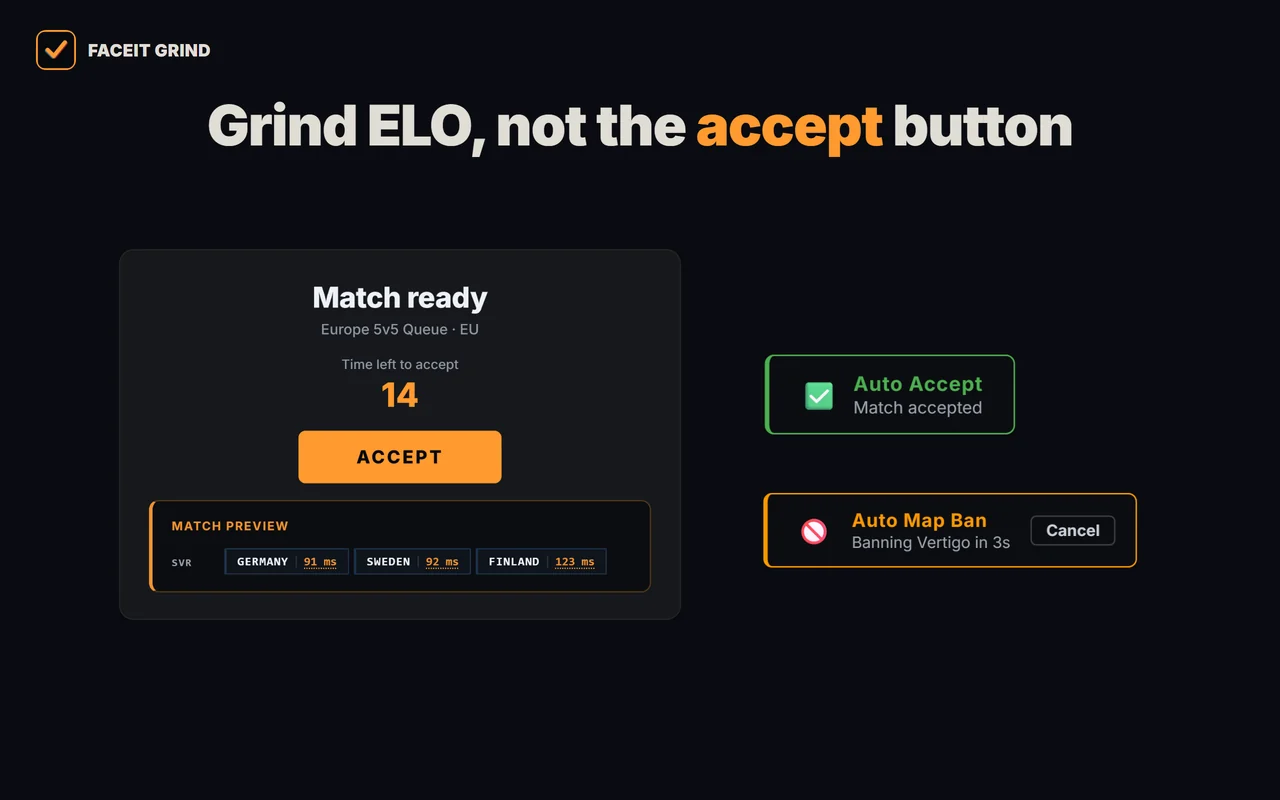
If Repeek is down, you don't have to fix it. GRIND covers the same basics — match and invite auto-accept, stats and ELO in the matchroom, match history — and adds a pre-veto lobby breakdown: win probability by map, smurf detection, player roles and a face-to-face compare. One extension instead of two:
| Feature | Repeek | GRIND |
|---|---|---|
| Match & group-invite auto-accept | Yes | Yes (100%) |
| Stats & ELO in the matchroom | Yes | Yes |
| Stats in match history | Yes | Yes |
| FACEIT Rating & Swing | Yes | Yes |
| Player form | — | Yes |
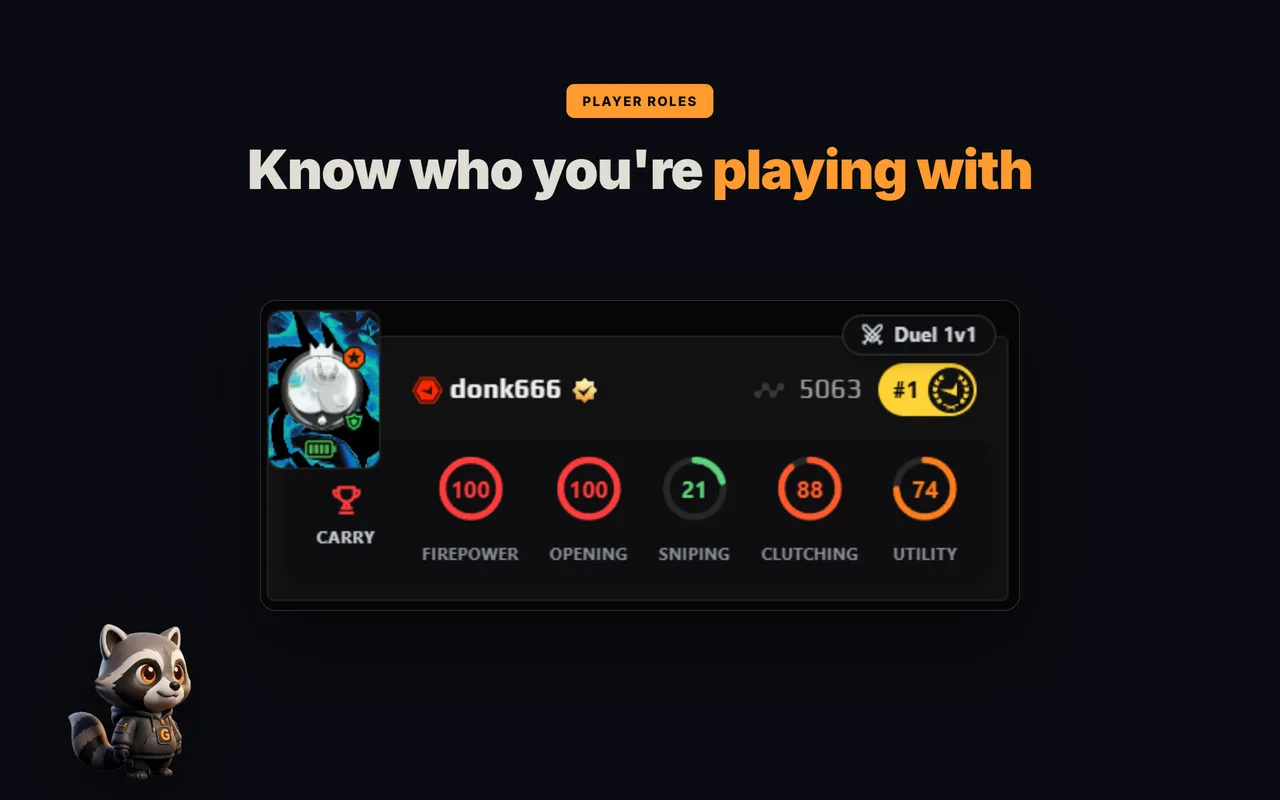
| Player roles (rings + role) | — | Yes |
| Extra levels above level 10 | — | Yes |
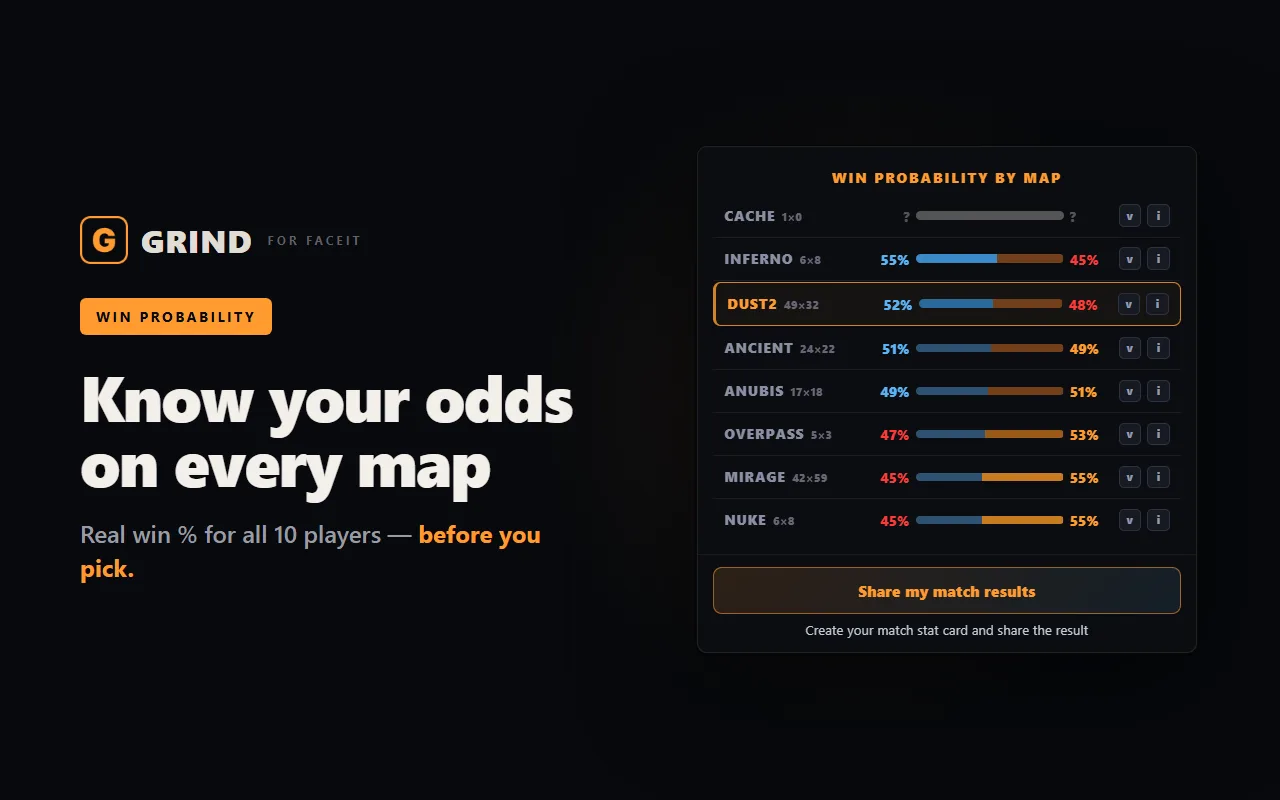
| Win probability by map | — | Yes |
| Smurf & booster detection (0–100) | — | Yes |
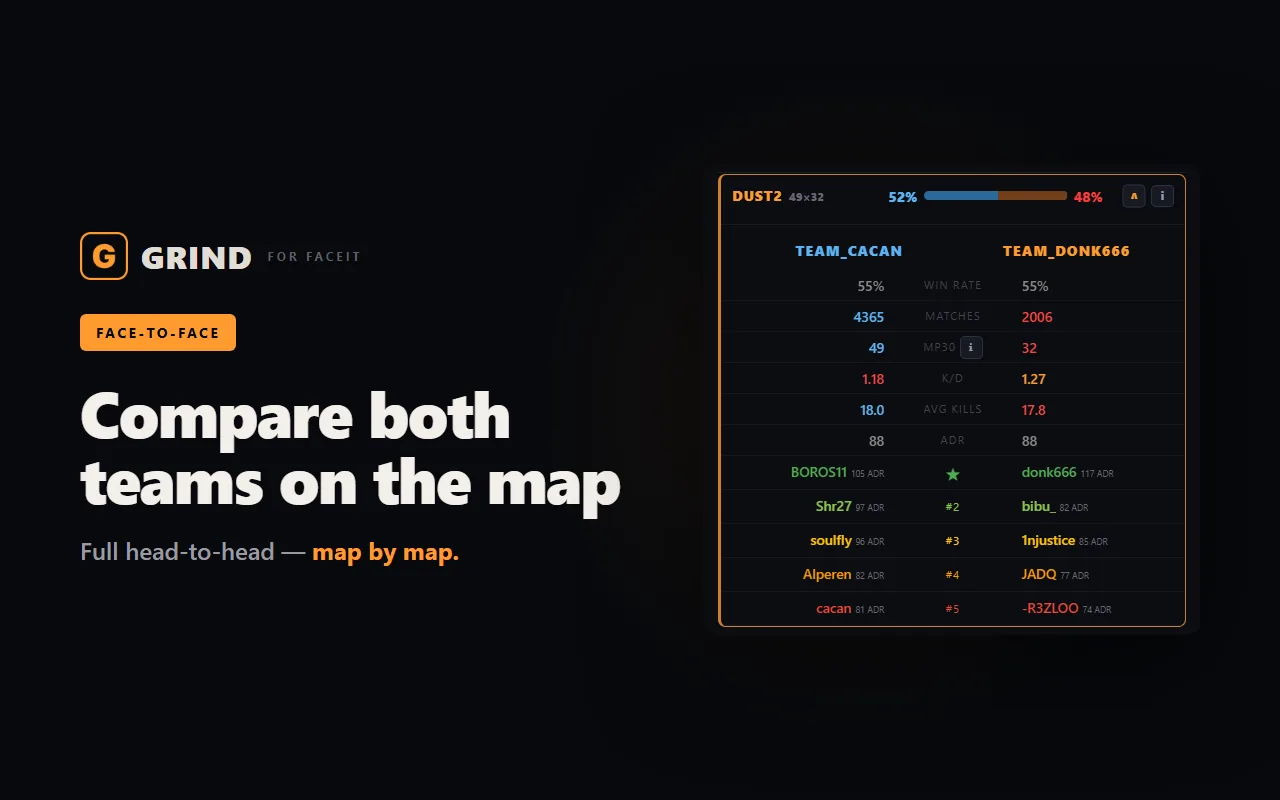
| Face-to-face player compare | — | Yes |
| Player notes | — | Yes (private, on your device) |
| Find FACEIT by Steam | — | Yes |
Everything GRIND does, in one list:
- Win chance on every map — a radar across the whole pool plus a breakdown per map — pick the one where your team is ahead. That is the ELO.
- Team face-off — win chance, Firepower, average kills and K/D above each team.
- Roles and 5 skill rings — CARRY, AWPER, ENTRY and more on all ten players — see who does what at a glance.
- FACEIT Rating and Swing — each player's real round impact over the last 30 matches.
- Last 30 matches — win rate, K/D/A, ADR and HS% for every player in the lobby.
- Career and maps — how many matches a player has played and their stats on every map.
- Form and streaks — who is in form right now and who is on a win or loss streak.
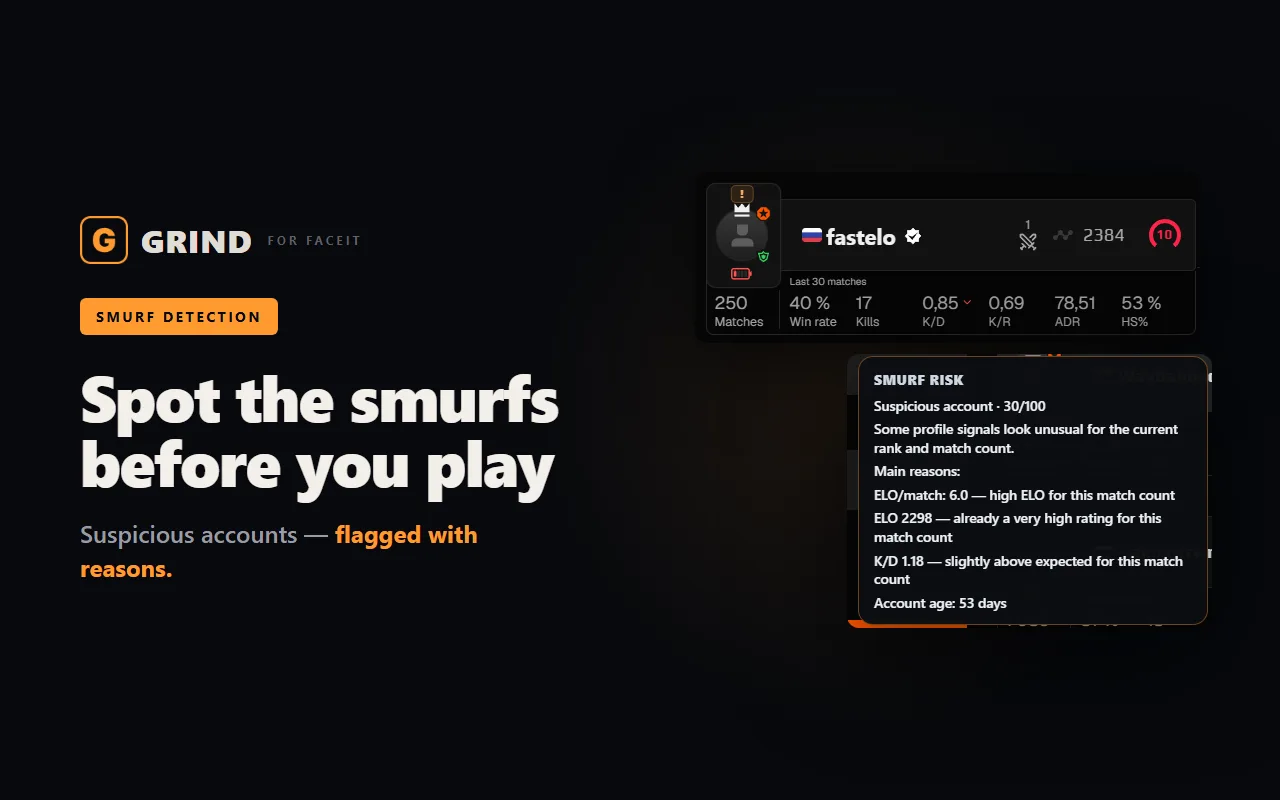
- Smurf and Boosted score 0–100 — suspicious and boosted accounts show up before round one.
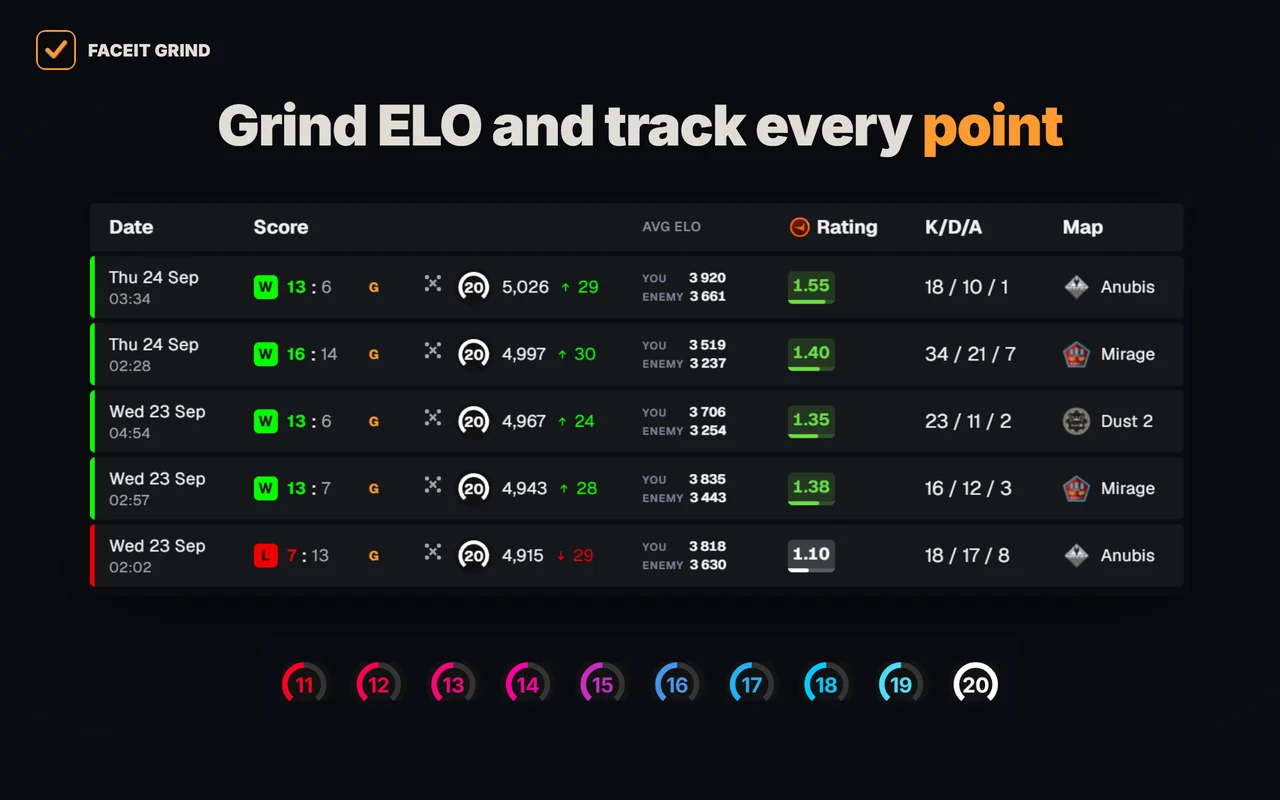
- Levels 11–20 — tell level 10s apart above 2,250 ELO — with GRIND metals or levels 11–20.
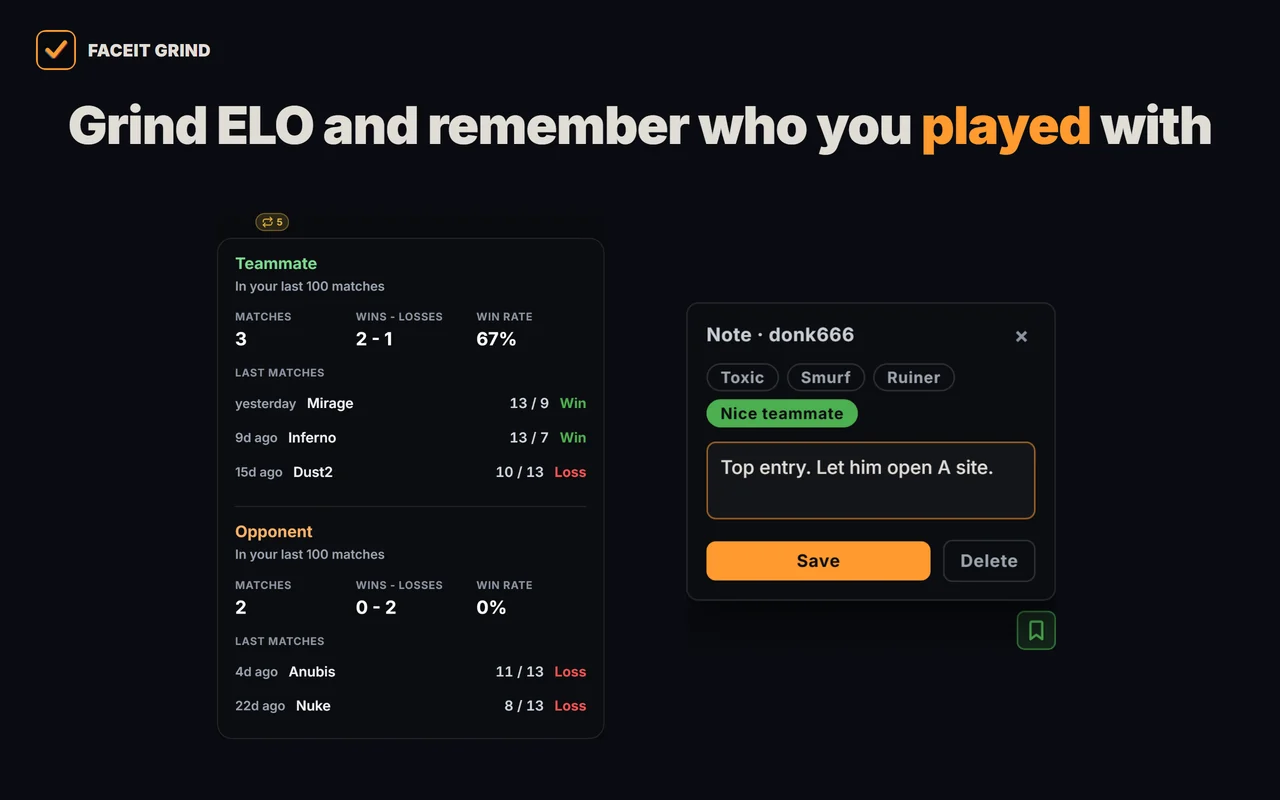
- Played together — who you have already met in your last 100 matches, and the score.
- 1v1 Duel — compare any two players in the lobby head to head.
- Player notes — tag a griefer or a great teammate — the note pops up next time you meet and stays on your device only.
- Auto-accept match and invite — never miss a match while you are away; delay from 1 to 10 seconds.
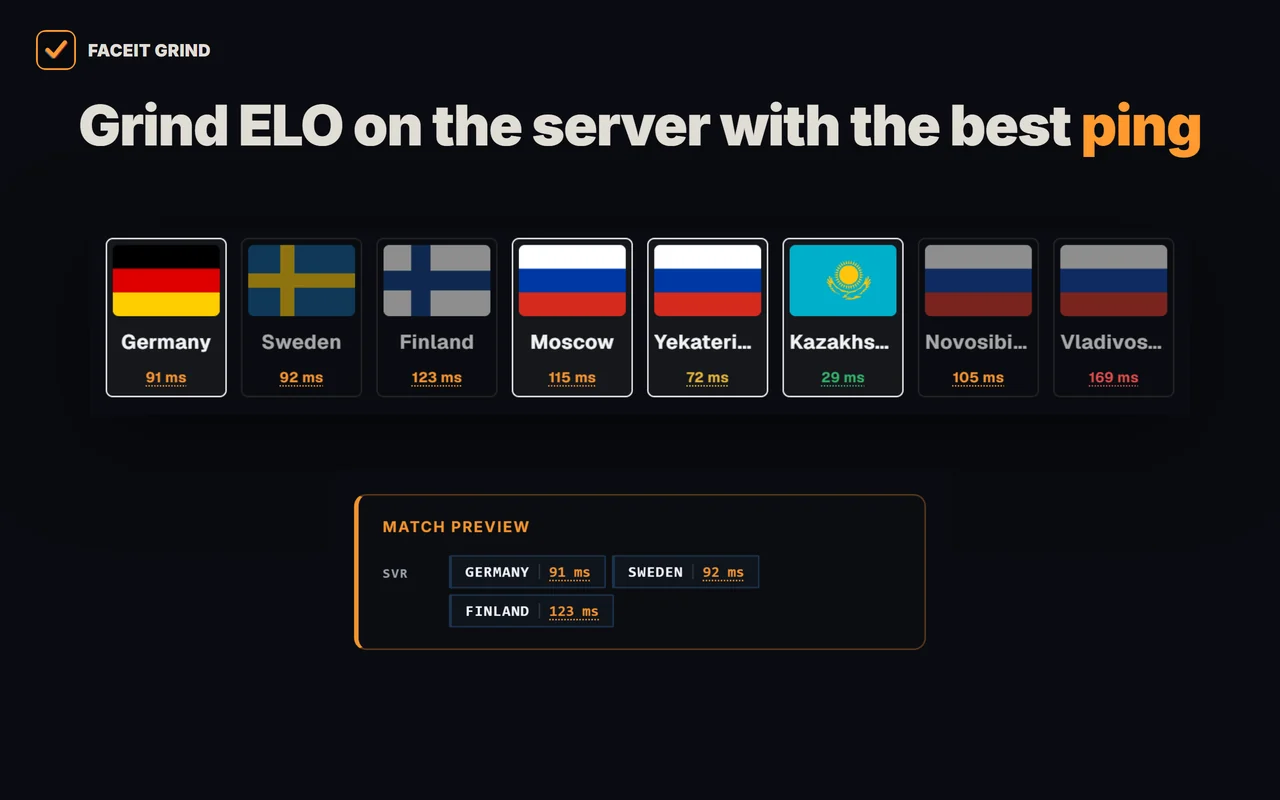
- Server and ping on the accept popup — the match server right in the accept window, server ping there and on the server-picker page.
- Auto map ban — when you are captain, your least favourite map is banned for you — with a countdown and a cancel button.
- Auto position — your spot on the chosen map goes to team chat first, once per match.
- Auto-copy connect — the moment the server is ready, the connect line is on your clipboard — paste it into the CS2 console.
- Match history — average ELO of both teams, 10/20/30-match markers and a scoreboard on hover.
- Profile summary — your best map, day and time to play, plus per-map stats.
- Your own card — your ELO, progress to the next level and session ±ELO in the corner of the page.
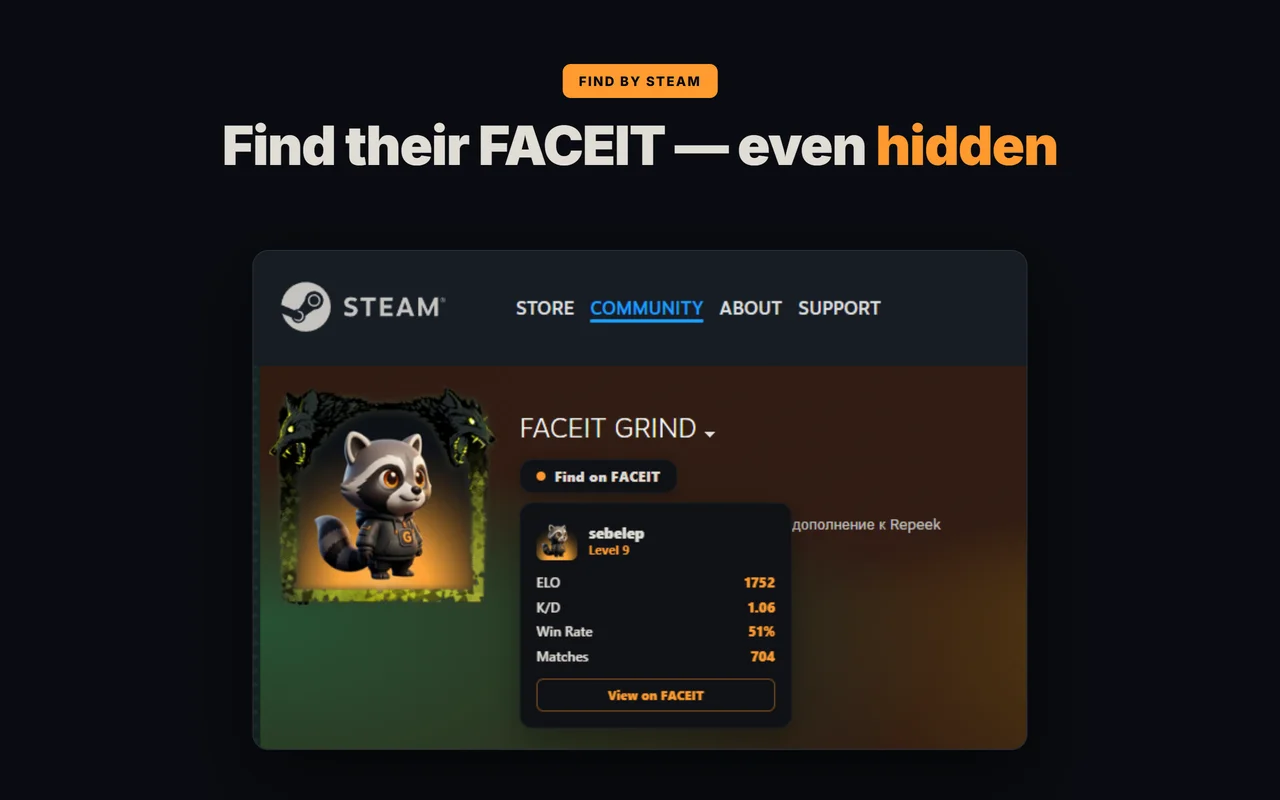
- Find FACEIT by Steam — a player's FACEIT profile right from their Steam page — even if the profile is private.
FAQ
Why was Repeek called FACEIT Enhancer?
Repeek is the renamed FACEIT Enhancer. Old "formerly faceit enhancer" links and listings point to the same project, which is why the naming is confusing.
Is Repeek safe?
Repeek is a UI overlay that reads public FACEIT data — it is not a cheat and never touches the CS2 game client. The only real risk is installing it from somewhere other than the official store.
Which extension shows AVG (average damage) on FACEIT?
Repeek and most overlays show basic matchroom stats. GRIND shows AVG and a full read on an opponent's form — by map and by player — and it has the basic matchroom stats too.
Which extension shows opponent maps and positions?
GRIND shows map stats and win probability per map before the map pick/ban, and Mappio draws position heatmaps. For most players, GRIND alone is enough.
What should I replace Repeek with?
GRIND: match and invite auto-accept and matchroom stats, like Repeek, plus win probability by map, a 0–100 smurf and booster score and a face-to-face compare.